
SAP Integration Suite for SAP BTP: When the Cloud Goes 'On-Premise'


Those who have orchestrated their SAP processes on-premise had little reason to switch to a cloud-based platform. The recent release of the Edge Integration Cell for the SAP Business Technology Platform Integration Suite has changed that.
The SAP Integration Suite is a Platform-as-a-Service (PaaS) solution and is positioned as part of SAP BTP. It is more or less the official successor to SAP Process Orchestration (SAP PO), which operates on the (Java) Netweaver 7.50 platform.
Where On-Premise & Cloud Interfaces Differ
Many customers use SAP PO as middleware for interfaces of their central SAP ERP system to various third-party systems such as CRM, shop floor, or warehouse solutions. Often, the interfaces to these on-premise systems have been realised as database interfaces, for example via JDBC or as 'simple' file interfaces. Importantly, the data flow of these interfaces does not leave the corporate network. Hence, we refer to these as pure on-premise interfaces.
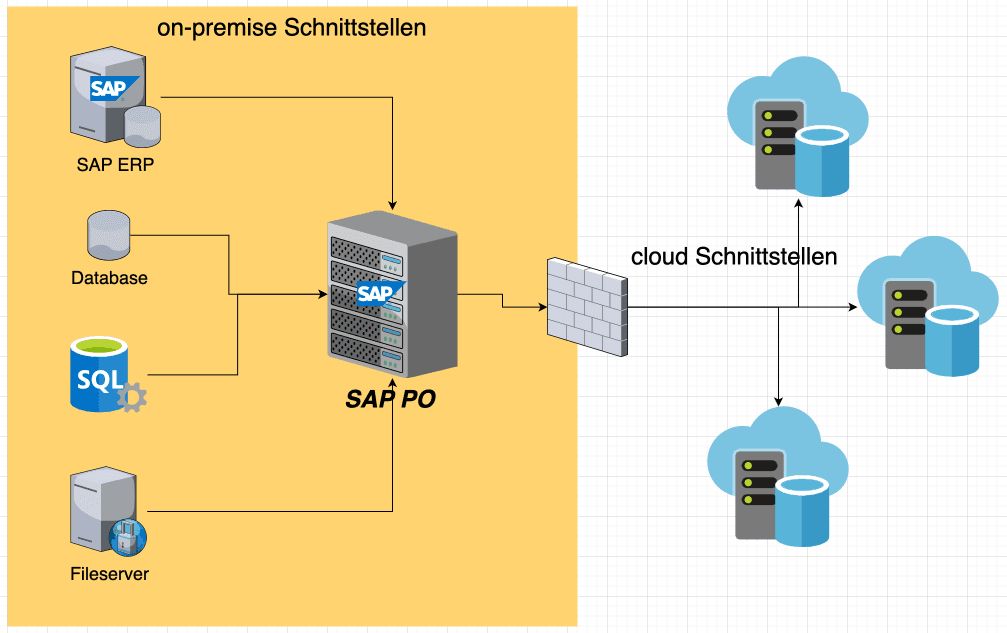
In addition to these on-premise interfaces, SAP PO also realises interfaces whose sender or receiver systems are connected via the internet, which is the case for EDI to suppliers or customers or cloud-based systems like SAP C4C, Salesforce, Microsoft Dynamics, or webshops. For these cloud interfaces, the transition to the SAP Integration Suite has already made sense – and SAP supports the migration of interfaces with increasingly better migration tools. Furthermore, mainstream support for PO will end in 2027. A rethink will be necessary in the near future.
Edge Integration Cell Changes the Interface Game
For pure on-premise interfaces, it often made little sense to suddenly route the data flow between systems located in the same LAN or WAN through 'the cloud'. Until now. Because this is exactly the purpose of the Edge Integration Cell. It is an optional component of the SAP Integration Suite that enables the establishment of integration scenarios and APIs within the corporate network.
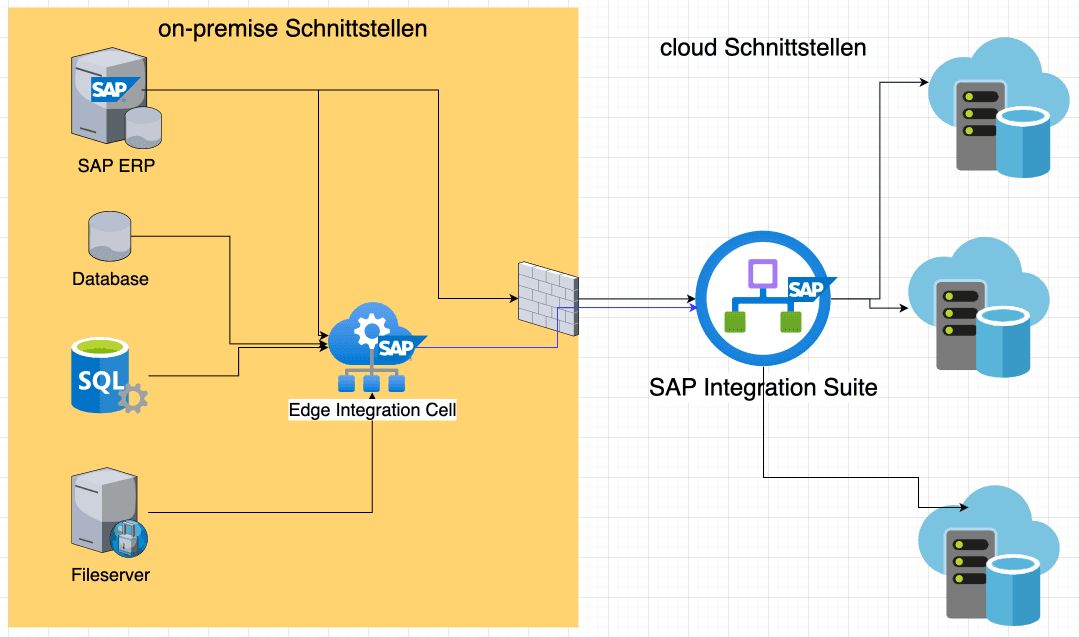
But how is this 'hybrid integration runtime', as SAP refers to it, set up? Essentially, one needs an environment that could be termed a 'mini-cloud' in the private LAN/WAN – a Kubernetes (K8s) cluster. The Edge Integration Cell is then 'deployed' in this cluster.
However, it must always be noted that SAP views the Edge Integration Cell as part of the Integration Suite. Essential functionalities, such as the design of interfaces (iFlows, APIs) or their central monitoring, remain part of the SAP Integration Suite and are handled with its tools in the cloud. When deploying the iFlow, developers can then select the Edge Integration Cell as an additional runtime environment (e.g., alongside the 'default' set Integration Suite runtime).
A Cluster, Three Options
As a Kubernetes cluster, SAP currently supports essentially three different options (see alsoSAP OSS 3247839):
- Amazon Elastic Kubernetes Service (EKS) with Kubernetes 1.25, 1.26 on Amazon Web Services
- Microsoft Azure Kubernetes Service (AKS) with Kubernetes 1.25, 1.26 on Microsoft Azure
- SUSE Rancher Kubernetes Engine (RKE) RKE2 with Kubernetes 1.24, 1.25, 1.26 RKE1 with Kubernetes 1.24, 1.25, 1.26
In my opinion, only SUSE RKE makes real sense, as the first two options represent a cloud solution, even if they can be integrated into the corporate network. The nodes of the RKE cluster can be 'bare metal' or virtual machines, with the number of nodes being at least 3 (1 server node + 2 or more 'agent' [= worker] nodes).
Two Steps to Added Value
The installation of the Edge Integration Cell takes place in 2 steps.
Step 1: Installation of Edge Lifecycle Management (Edge LM): The installation of Edge LM is initiated directly on the server node of the K8s cluster. Among other things, a 'containerised version' of the BTP Cloud Connector is installed as a K8s pod, which will handle future communication between the Edge Integration Cell and the Integration Suite.
Step 2: Deployment of the Edge Integration Cell: Once the Edge LM is ready for use, the deployment of the Edge Integration Cell can be initiated from the corresponding UI in the SAP Integration Suite. The installation proceeds automatically by installing and starting the relevant pods in the K8s cluster.
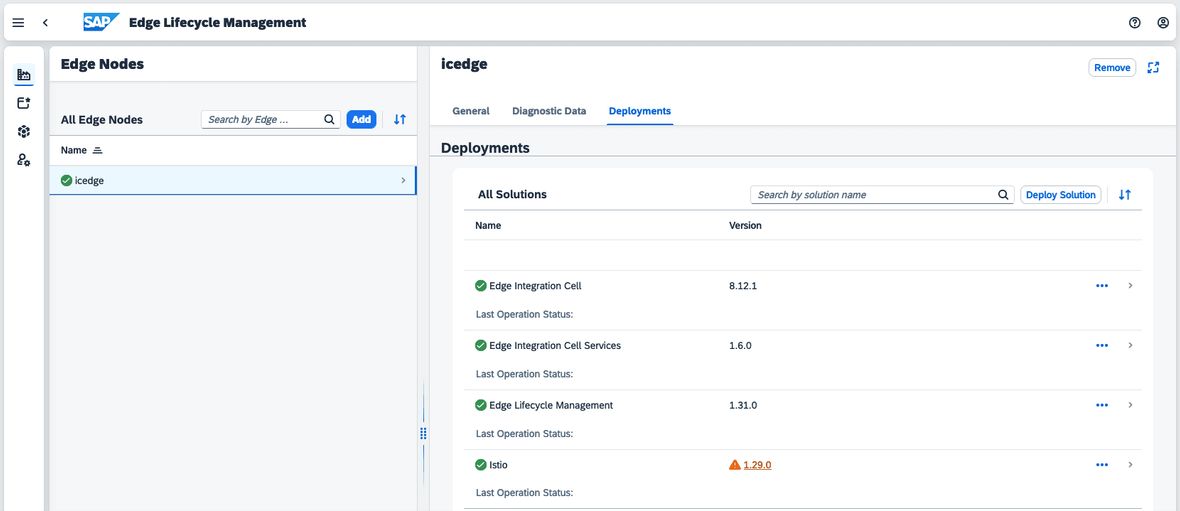
After the installation is complete, the new runtime environment of the Edge Integration Cell is available in the SAP Integration Suite.
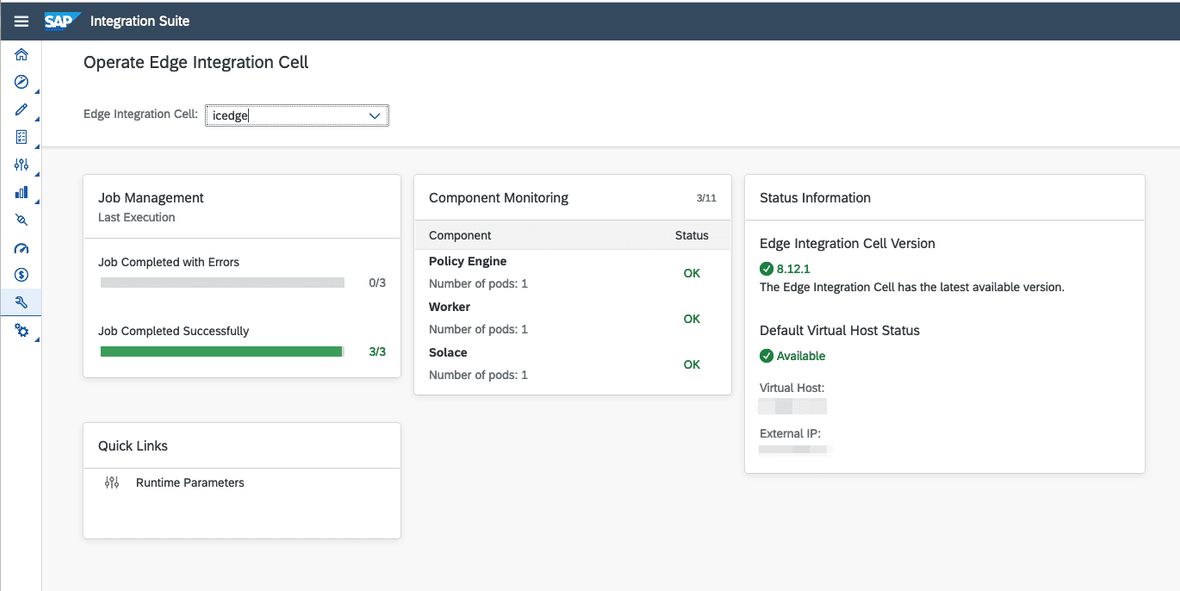
The new runtime environment is also available for deploying iFlows.
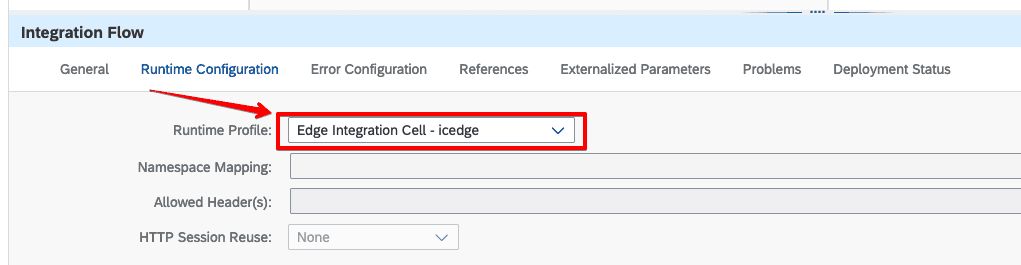
When iFlows are deployed to the Edge Integration Cell, they are assigned the so-called virtual host of the Integration Cell as an endpoint.
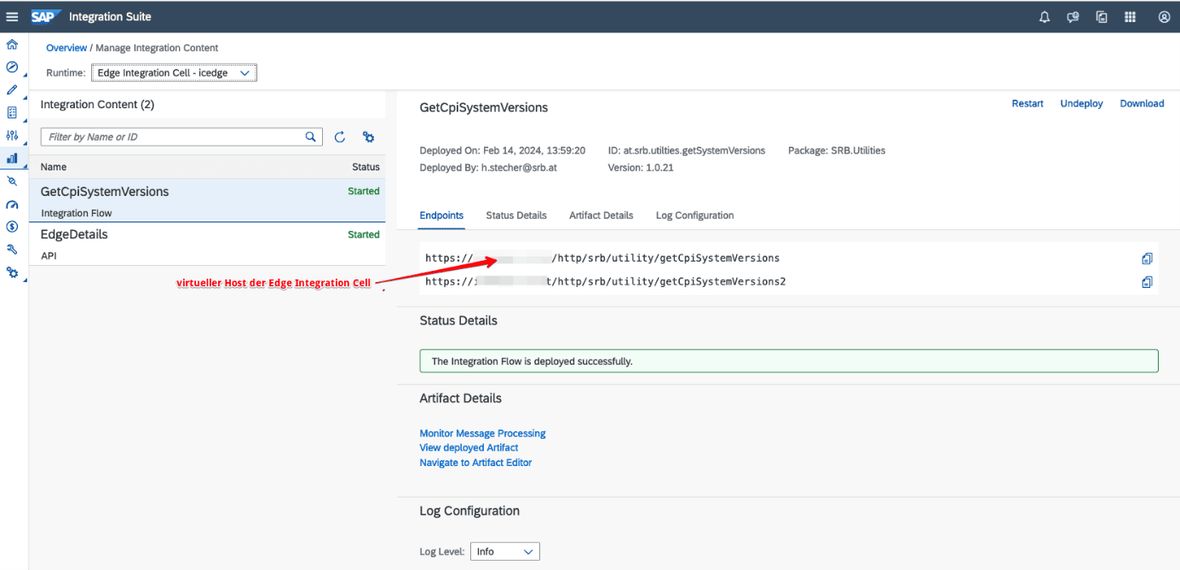
The virtual host must be resolved in the DNS of the LAN with the IP address of the K8s load balancer service. This allows the iFlow to function as a pure on-premise interface.
As of now (February 2024), authentication and authorisation occur entirely analogously to that of the SAP Integration Suite. If one wishes to address an iFlow like the example above via https POST, Basic Authentication or OAuth2 can be used, with the OAuth token obtained via the corresponding endpoint of the SAP Integration Suite. Certificate-based authentication does not yet work, contrary to explanations in the SAP help pages.
Exciting Tool with Added Value and Challenges
With the Edge Integration Cell, SAP presents a solution for those integration scenarios that should not establish data exchange to the internet or to and from cloud systems.
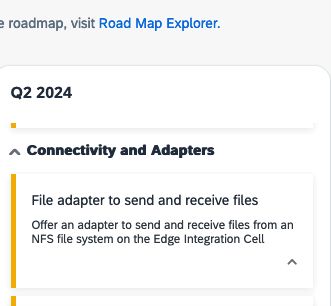
This will also enable the migration of SAP PO interfaces in the future, which had a directory in a network share (e.g., mounted via NFS) as their source or target. This is also outlined in theSAP Integration Suite Roadmap:
In contrast to SAP PO, the Edge Integration Cell, however, imposes new requirements on the operation of this hybrid component. A solid understanding of the setup and operation of a Kubernetes cluster is necessary, as questions such as backup & recovery and high availability of interfaces are commonplace in corporate operations.
Read More
In Part 1 of our SAP Business Technology series, our colleague Reiner Eberhard has already reported generally on the BTP. You can find the articlehere.


