
The (SAP Fiori) Apps are coming: Is that it for SAP GUI?

Applications created with SAPUI5 belong to the future. But is it worth turning your back on SAP GUI in sales today and conducting transactions via apps? We took a closer look.
Applications created with the SAPUI5 framework belong to the future. The modern, mobile, and simple user interface makes it possible, so the consensus goes. But is it worth turning your back on SAP GUI in sales today and conducting transactions via apps? We examined what SAP Fiori Apps can already do.
Those working in sales know: Data is essential, and complex analyses are the norm. Excel usually reigns, and evaluations are done manually. This is typically very time-consuming.
Apps provide relief here, especially in SAP. They allow various information from different company areas to be compared with just a few clicks, tasks to be automated, or fundamental processes to be accelerated. Another advantage is mobility. Sales representatives can work effectively outside the usual workplace and make decisions more quickly thanks to real-time information.
Which app for which purpose?
For SAP in sales, specifically for SAP Sales & Distribution or SAP SD for short, hundreds of apps are available. While some find little application and fade into the background, others offer a promising user experience and are characterised by outstanding functionality and targeted support for important sales processes.
The selection is vast. SAP Fiori is divided into three main types of apps. Firstly, the transactional apps. For more flexibility, a separation of frontend and backend components is recommended. Since access occurs internally via the intranet or externally via the internet, the best results are achieved with databases like HANA or those with comparably sufficient performance.
The second type of apps is the information sheets, which display contextual information. They enable drill-down for detailed information and access to the backend system. Lastly, there are the analytical apps, which illustrate key figures of the company in real-time. However, for implementation, the installation and configuration of the required frontend components and SAP Gateway services are needed.
No matter where your gaze wanders, it is important to know that the apps can be customised to better present important information for the respective user group or to facilitate work. But where to start? Which app is the right one, which is worth it?
With the experience from countless customer projects, some apps have crystallised for us as 'must-haves' with sustainable added value. Below, we present our favourites and show where they have already been helpful.
Apps for an overview of the sales process
1. My Sales Overview – App ID F2200, Business Role: SAP_BR_INTERNAL_SALES_REP
With the 'My Sales Overview' app, various information can be analysed. The data in the app is divided into cards, with links to other transactional apps.
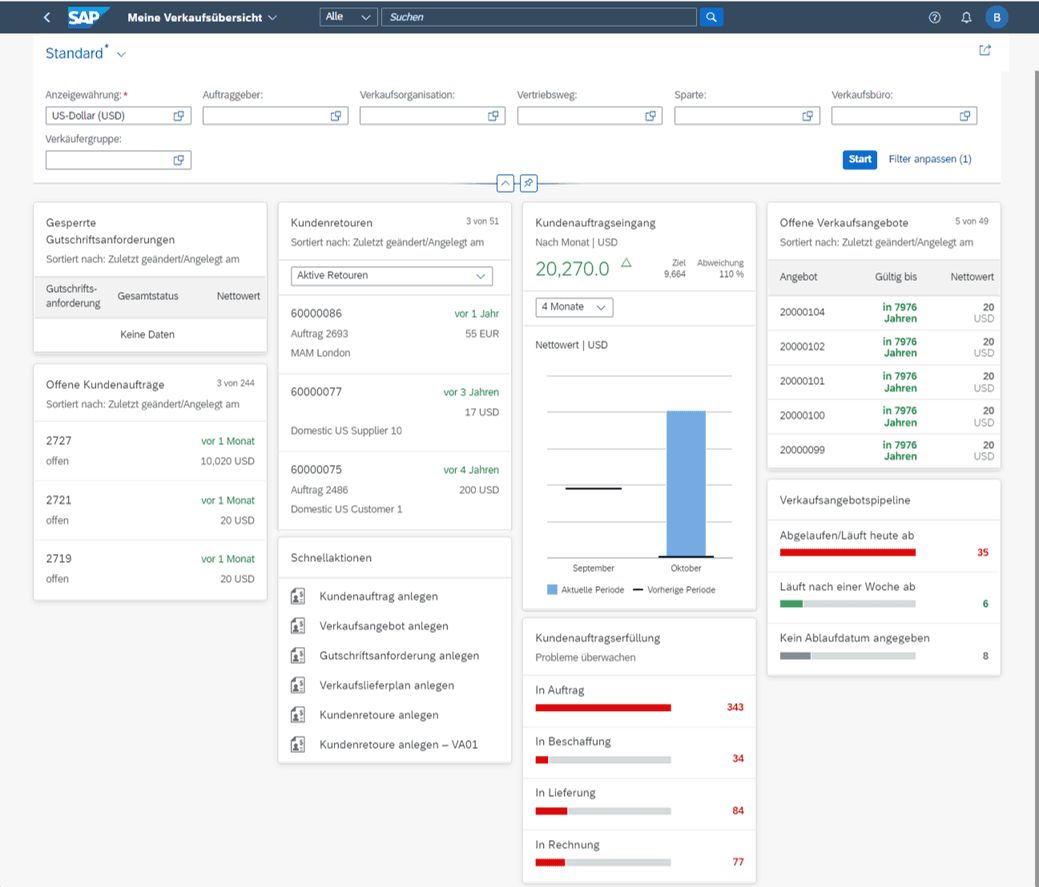
The cards can be customised according to the assigned roles of the user. They can also be pinned and filtered according to specific criteria.
The customer order fulfilment feature proves to be very useful. All open customer orders are filtered by process step and can thus be processed by sales representatives. This provides a fundamental overview of the status quo in the sales process and allows users to quickly access or respond to important sales data.
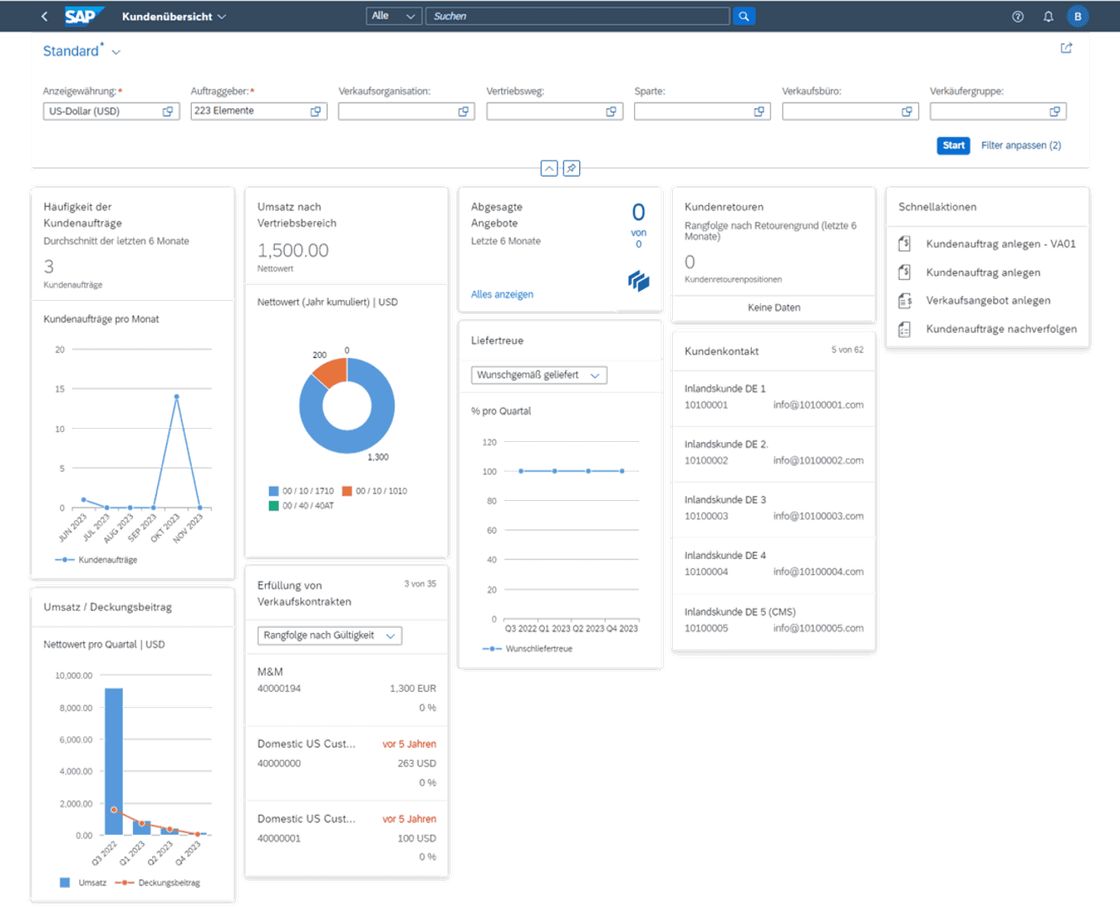
2. Customer Overview – App ID F4645, Business Role: SAP_BR_INTERNAL_SALES_REP
With the 'Customer Overview' app, various information about the customer is analysed. The data is presented clearly in the form of charts and lists.
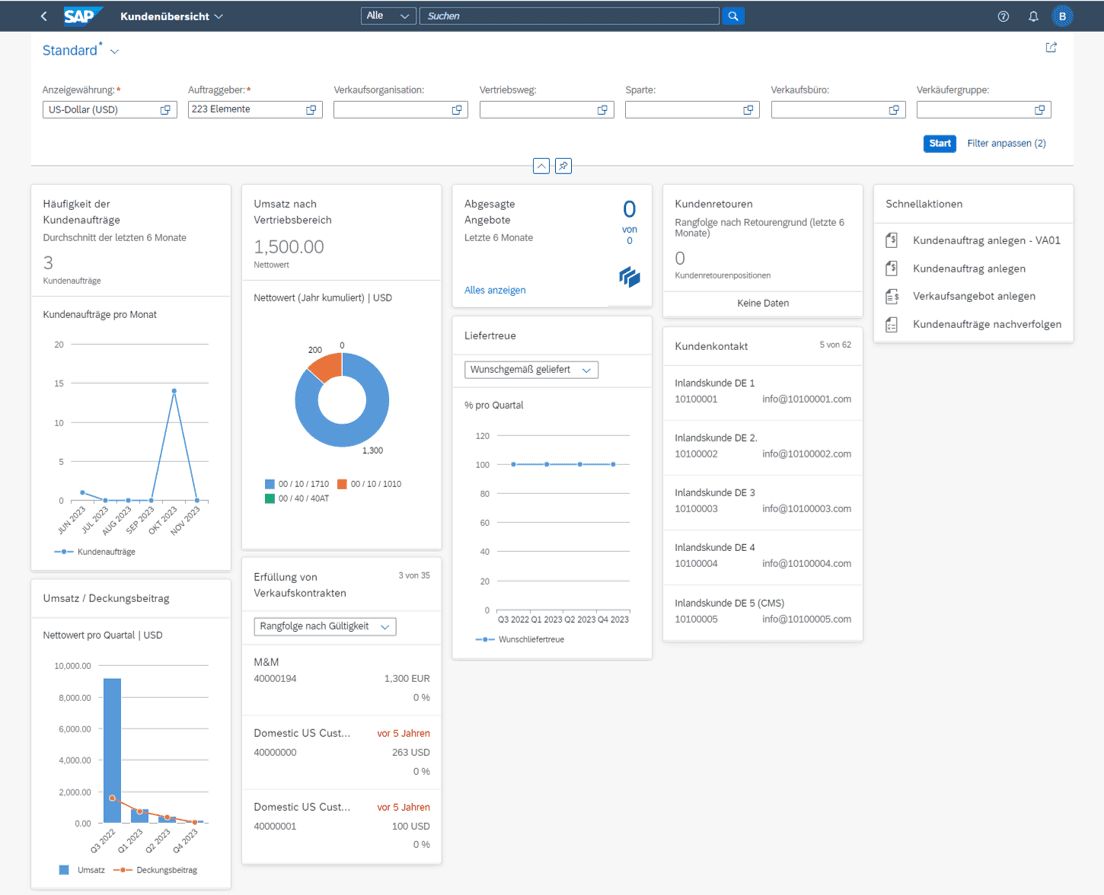
The analysis can be filtered by various criteria, such as client, sales organisation, or sales group. Related apps can also be accessed through quick links, allowing decisions to be made immediately after identifying issues.
The app also enables sales representatives to sort open sales offers by validity and thus process them at a glance. Customers can also be filtered by contribution margin. It is also interesting to know which reason is the most common when it comes to returns.
Apps for conducting the sales process
1. Manage + Create Customer Orders – App ID F3893, Business Role: SAP_BR_INTERNAL_SALES_REP
The classic SAP GUI transactions 'VA0x' are expanded by the new app 'Manage Customer Orders'. The user experience for sales representatives when managing and creating customer orders is significantly improved. Also improved: the representation of the process flow (document flow) in these apps.
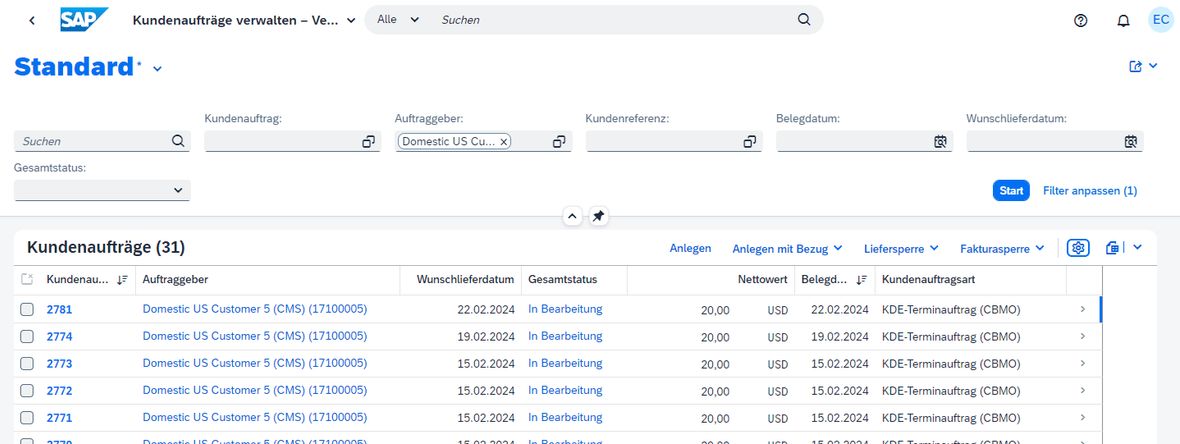
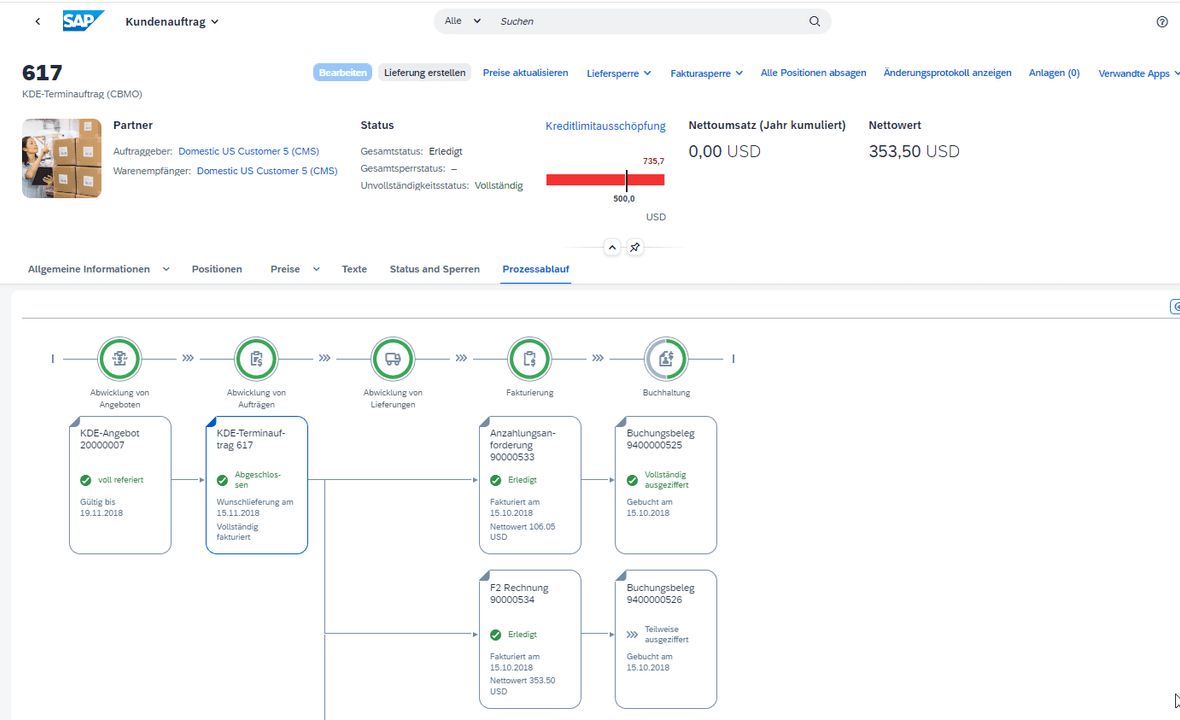
The app was created with the new SAP Fiori programming modelRAP (ABAP RESTful Programming Model)Thus, metadata-related changes can be made with minimal effort.
The app is straightforward and can also be operated solely by power users using the keyboard. The flexible approval workflow makes it easy to make decisions. For example, customer evaluations can be approved through a workflow.
Additional apps for creating customer orders
Special apps also provide more convenience when creating a customer order. For instance, they allow for the first time the import of information from an XLSX spreadsheet for the mass creation of sales documents (App ID F6192) or the automatic creation of customer orders from a PDF file (as a draft) (App ID F4920).
1. Fulfilment of Customer Orders – App ID F0029A, Business Role: SAP_BR_INTERNAL_SALES_REP/SAP_BR_SALES_MANAGER
As a replacement for the SAP GUI transaction VA06 ('List of Incomplete Customer Orders'), which can no longer be accessed in the S/4 system, the official SAP note for the S/4 transition refers to this app as a successor.
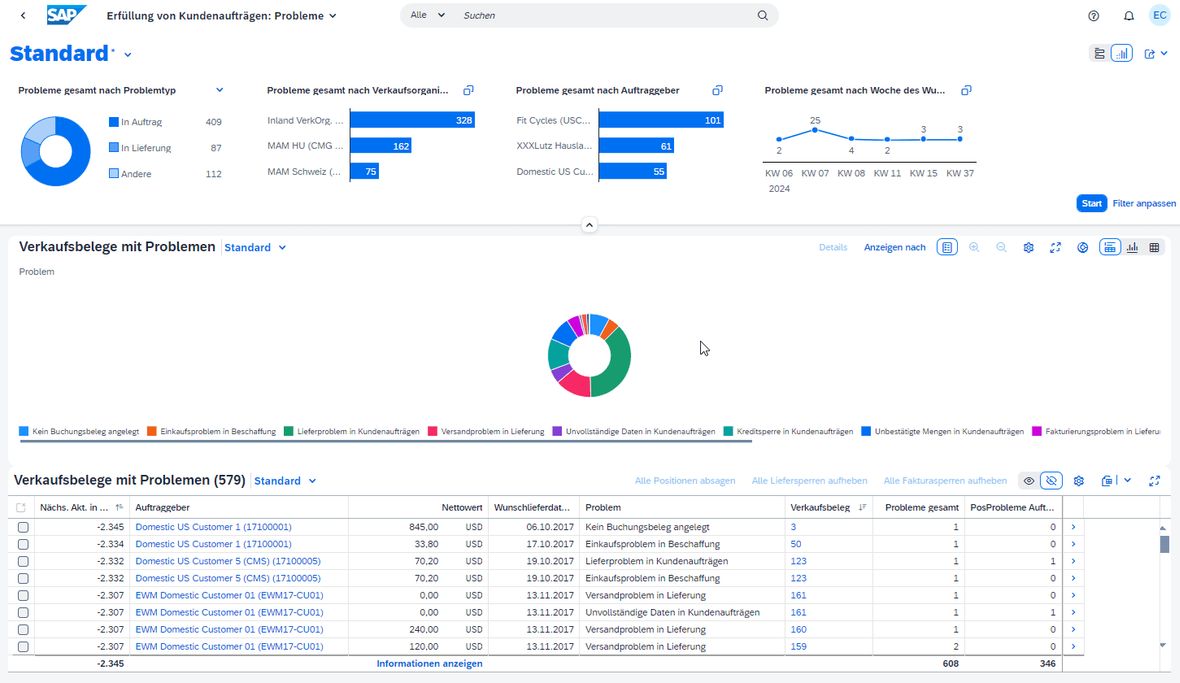
Significant in the use of the app are the filters – for example, on the different 'issues' of the sales documents such as incomplete data, shipping issues in deliveries (= planned delivery date in the past) or procurement issues (= planned delivery date in the past). Additionally, direct access to individual documents is possible to resolve them if possible.
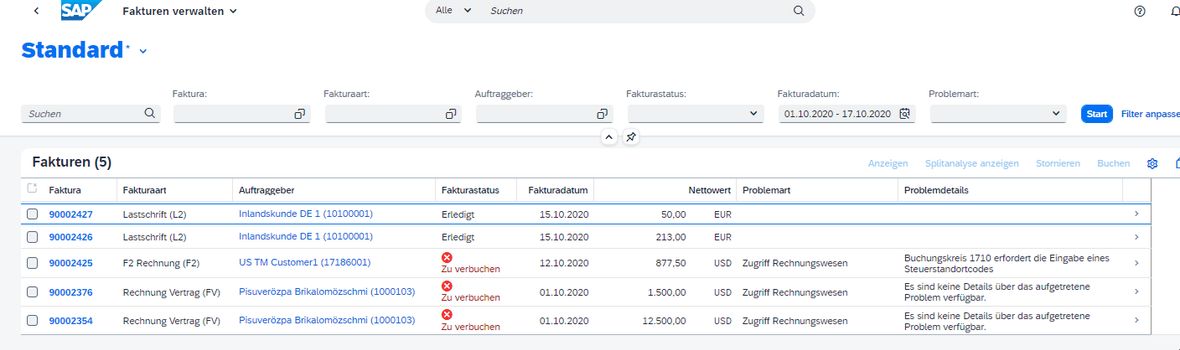
2. Create Invoices – App ID F0798 – or Manage Invoices – App ID F0797, Business Role: SAP_BR_BILLING_CLERK
These two aforementioned apps not only replace the classic SAP GUI transactions VF04 and VF05, but they also allow for the analysis and processing of invoices with issues, such as price or account determination.
3. Mass Change of Sales Documents – App ID F5091, Business Role: SAP_BR_INTERNAL_SALES_REP
With the 'Mass Change of Customer Orders' app, multiple sales documents of different categories can be processed simultaneously. This saves a significant amount of time, especially with large volumes of data.
Changes are planned in the form of background jobs. The app supports various sales document categories such as customer orders, sales offers, and distribution delivery plans.
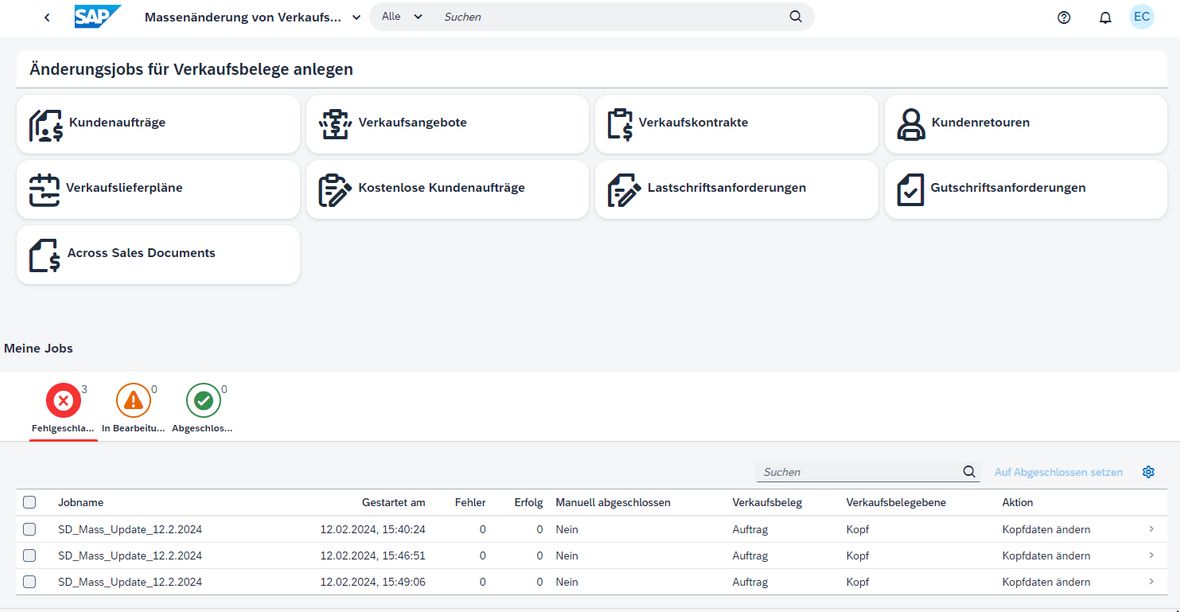
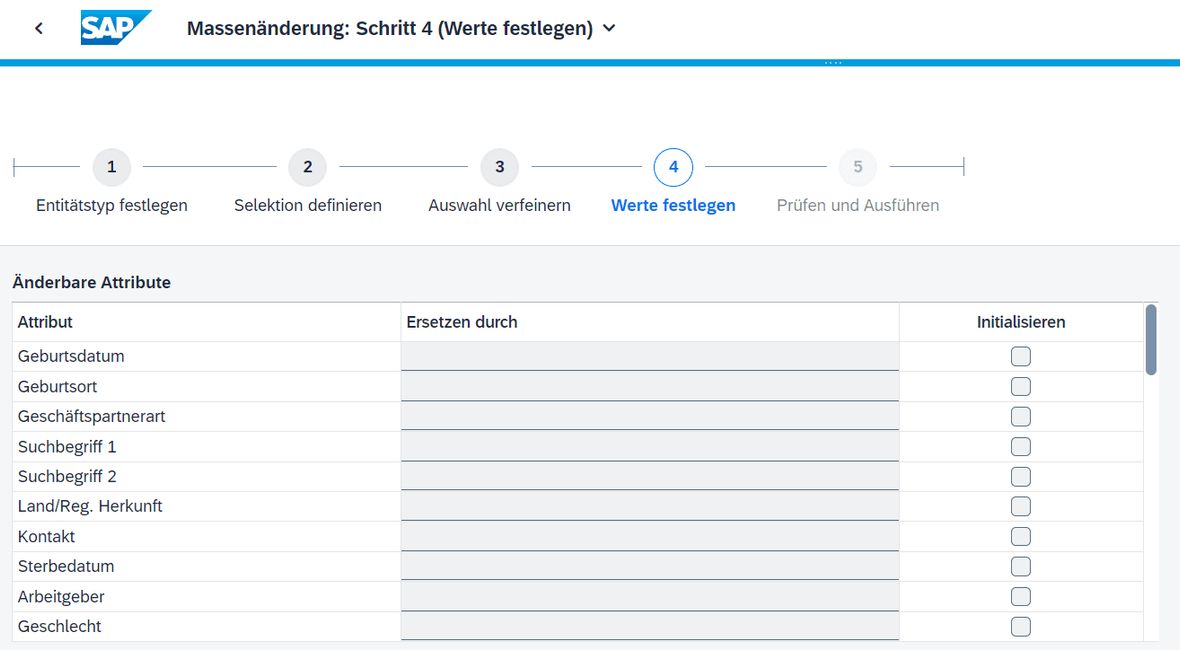
The app allows for changes to header/item data and classifications, as well as setting or removing various locks or updating prices. Staging jobs can also be deleted.
Analysis Apps
1. Sales Volume – Flexible Analysis – App ID F1250, Business Role: SAP_BR_SALES_ACCOUNTANT / SAP_BR_SALES_MANAGER
With the 'Sales Volume – Flexible Analysis' app, among other things, the monthly sales trends of various key figures are displayed. Users can filter various details. Sales figures can be filtered by net value, sales volume, and profit margins.
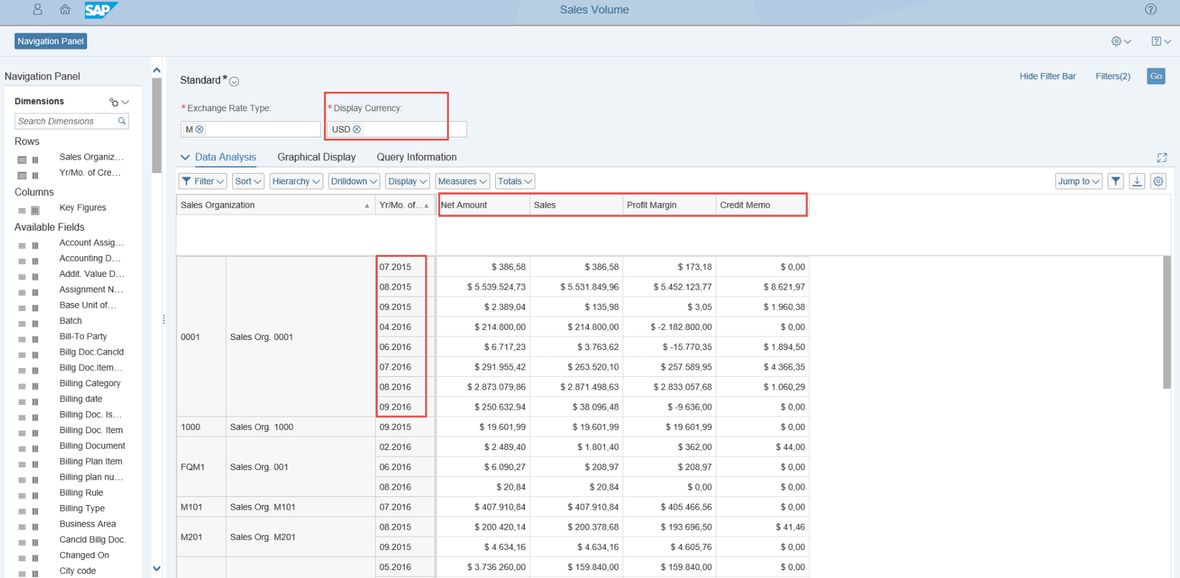
Interestingly, the app allows cancellations and credits to be disregarded, which increases the detail level of sales figures.
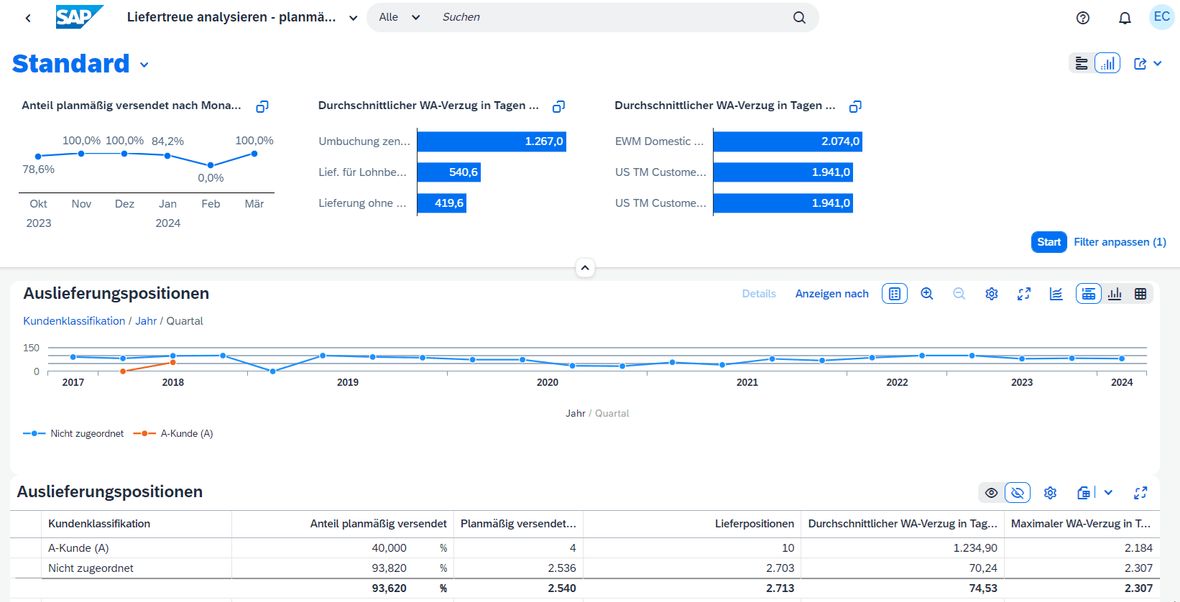
2. Analyse Delivery Reliability – App ID F2878A, Business Role: SAP_BR_SALES_MANAGER/SAP_BR_INTERNAL_SALES_REP
Through the chart view of the 'Analyse Delivery Reliability' app, it can be quickly determined how the current and past trends regarding scheduled deliveries to different customers or customer groups look. If something is amiss and insufficient delivery reliability becomes apparent, measures can be taken quickly.
The future of apps remains open
So where is the journey heading regarding SAP Fiori apps? The fact is: In learned SAP practice, SAP GUI is still predominantly used with well-known transactions. However, the simple examples above show: The apps are on the rise, ready to take over. With noticeable advantages in tow. To what extent they will prevail and which ones will remain is something the future will reveal.
A special thanks goes toBledi Ziba, who was significantly involved in this contribution. His insights and input made this contribution possible.


