
SAP Fiori in Finance: Always know how the cash flow stands


Liquid enough for all eventualities? What sounds like a simple question often turns into a major task in complex enterprise structures. The SAP Fiori app 'F2332 – Cash Flow Analyzer' provides a solution. How, you will learn in part 3 of our series.
Cash flow is a central metric for companies. It shows how liquid a company is and whether it can meet its ongoing payment obligations. Without stable cash flow, even profitable companies can quickly face payment difficulties. Therefore, it is essential to continuously monitor, analyse, and respond early to deviations in cash flow.
The SAP Fiori app 'Cash Flow Analyzer' offers the ideal solution here. It promises nothing less than a transparent and detailed visualisation of the cash flow situation in real time. We have looked into how this works and what the app offers.
What 'Cash Flow Analyzer' can do
Nomen est omen: The SAP Fiori app 'F2332 – Cash Flow Analyzer' allows the management of a company's cash flow and provides a detailed analysis of cash flows. It is the main app offered in SAP S/4HANA for liquidity management. It also deserves a place and mention in our list of favourite apps, for reasons primarily found in its reporting structure and main functions.
Liquidity in S/4 is built on the basis of cash flows aggregated in the table FQM_FLOW. These cash flows are generated by the so-called Flow Builder programme based on primary documents, such as items from account statements, items from FI posting documents, deal flows, and payment orders.
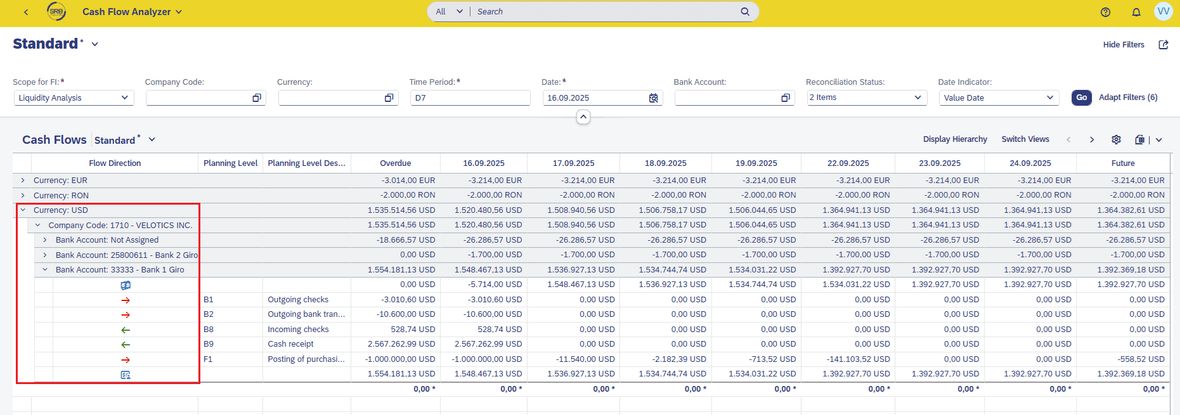
The standard aggregation in the report occurs by currencies, companies, and bank accounts. The symbols
"red arrow right" and
"green arrow left"
represent the outflows and inflows, while "banknotes" and "dollar signs with person" represent the in- and out-balance.
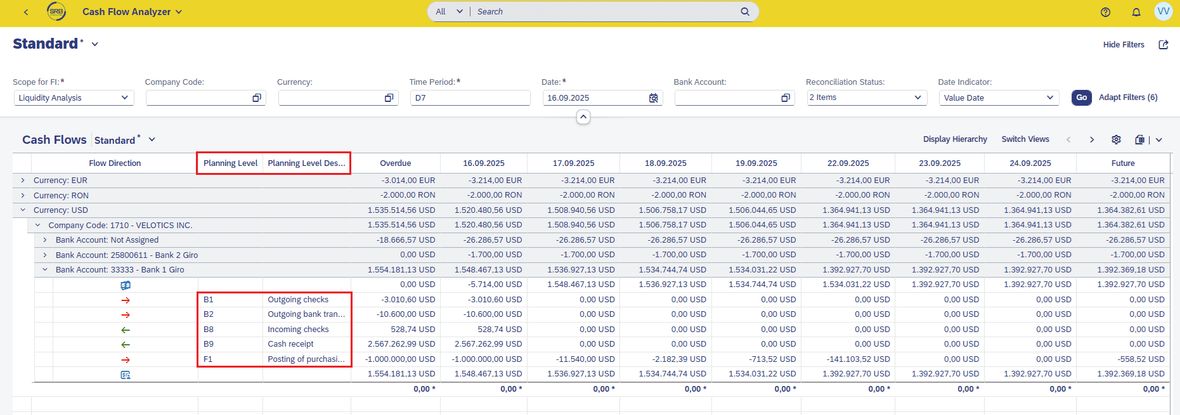
The so-called planning level is a crucial attribute of a flow, on the basis of which cash flow amounts are grouped.
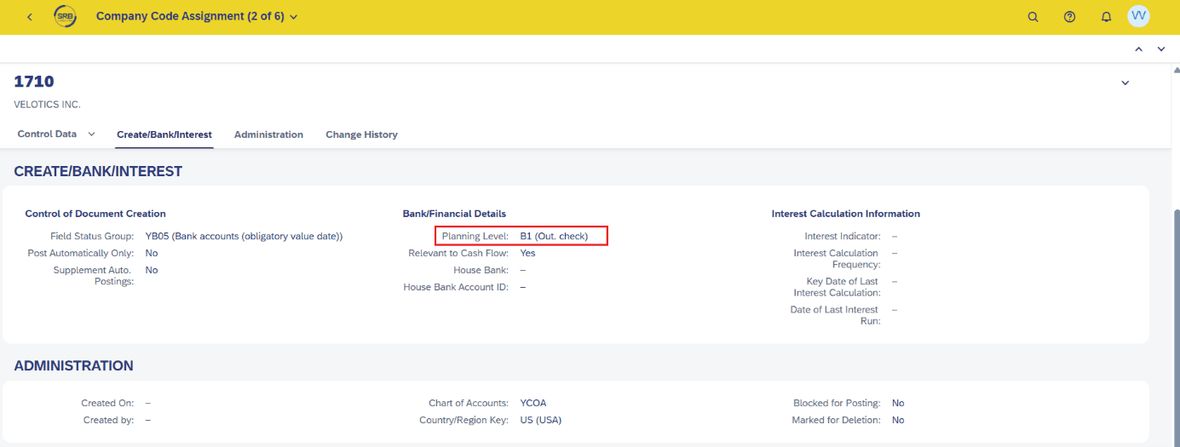
The planning level shows the origin of a cash transaction and is defined on the general ledger account (Manage G/L Account Master Data App --> Company Code Data --> Create/Bank/Interest --> Bank/Financial Details).
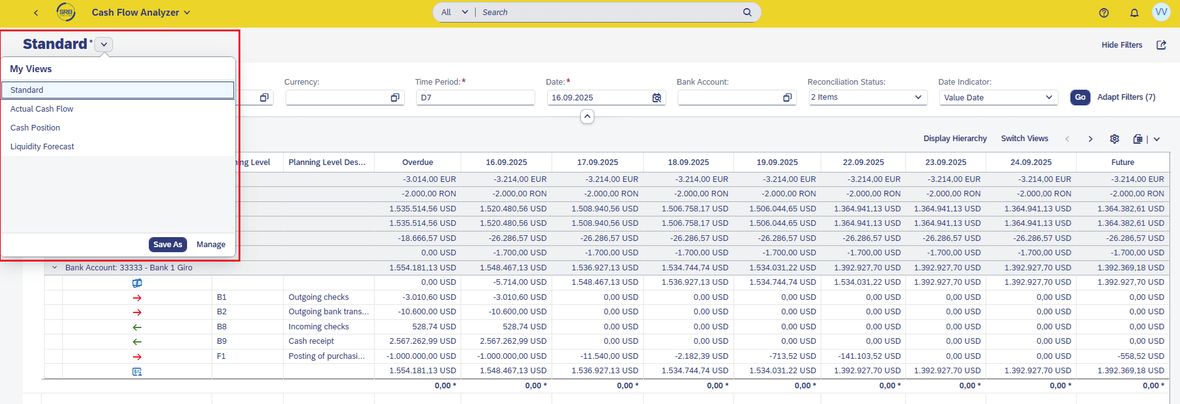
It should also be emphasised that predefined views for standard reports for daily financial status, liquidity forecast and actual cash flows are available in SAP. Of course, there is also the option to define custom variants and thus tailor the evaluations to the specific requirements of the company.
Important functions allow for customisation
The real trick lies in the main functions. They allow the report to be customised so that anyone using the Cash Flow Analyzer can derive the optimal results for their own use and corresponding needs. Significant for this is the flexible filtering.
In the Cash Flow Analyzer, the following options are available:
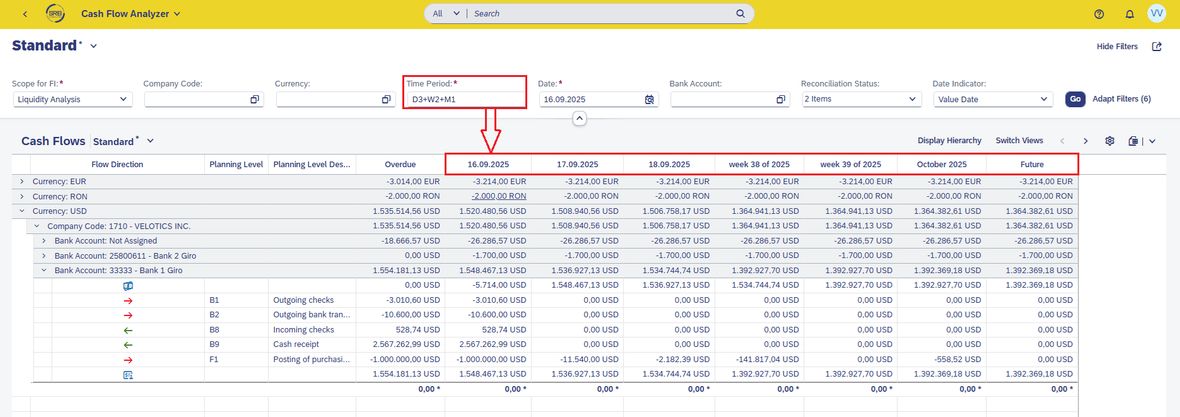
1. It allows the analysis of data not only by different companies, currencies, transaction types, but also by time. Using the Time Period filter, for example, a report can be generated for a period from one day to any desired timeframe. The screenshot below shows a report whose data is aggregated for three days after the desired date, two weeks in advance, and one month in advance.
2. Another important filter is Date Indicator.
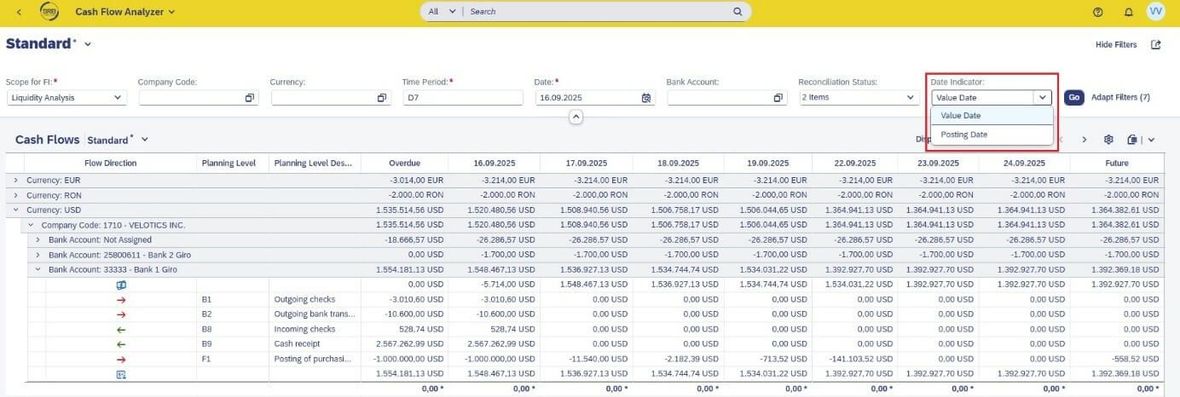
It allows the recalculation of amounts either on the value date
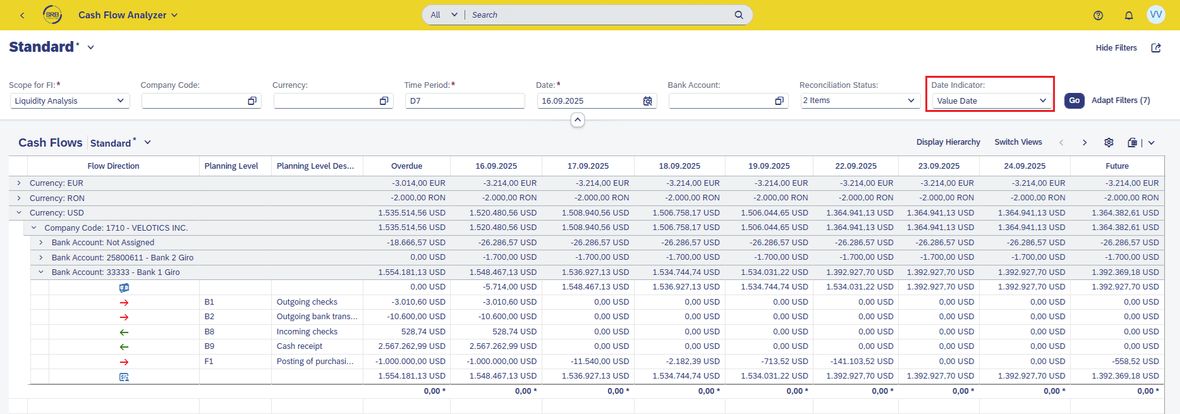
or posting date.
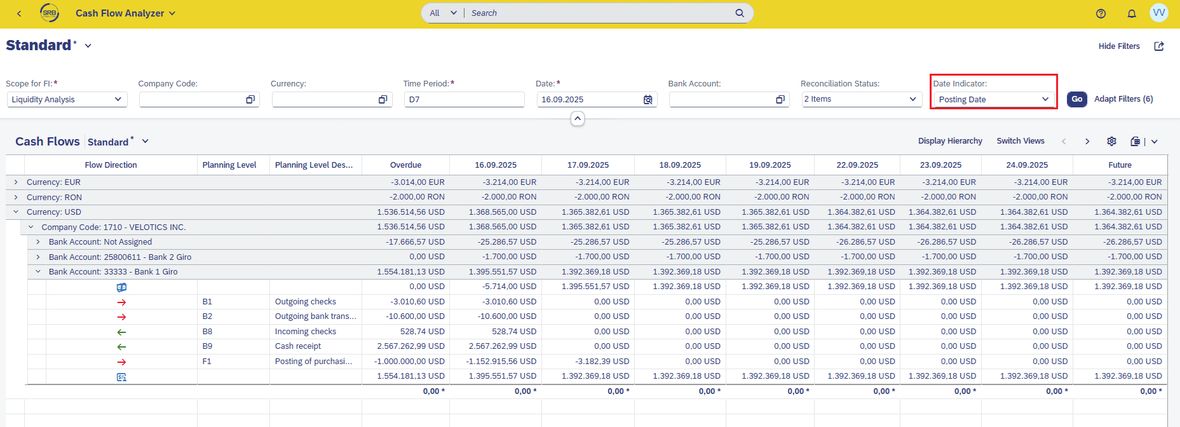
3. Next: Switching between balance view and delta view (only net cash flows).
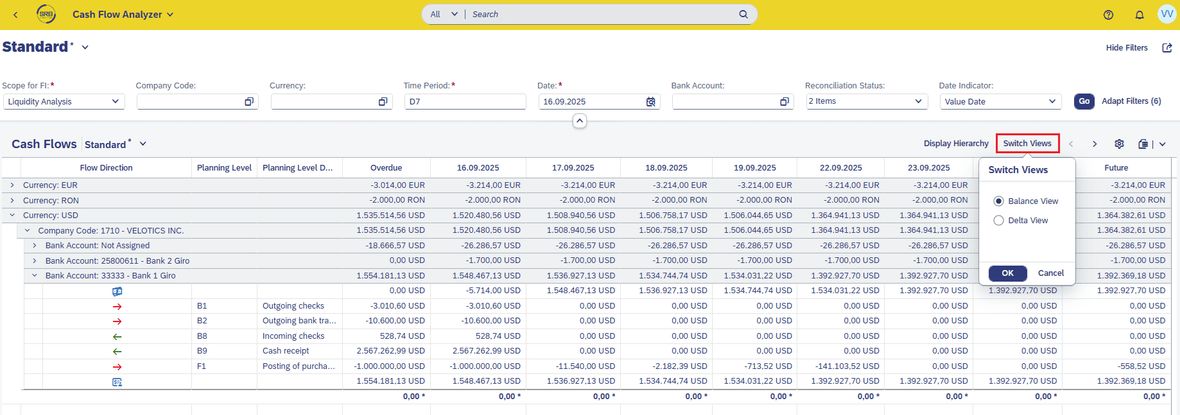
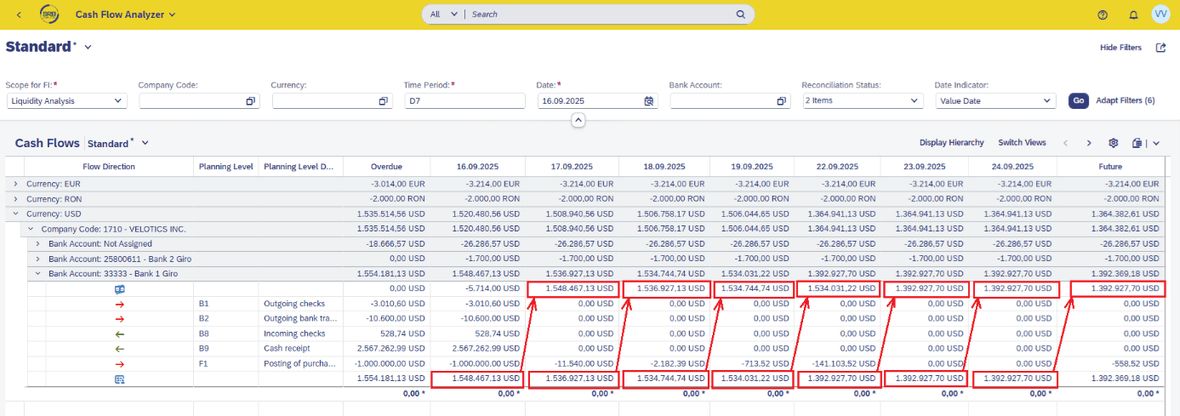
Balance View shows the opening and closing balance considering all accumulated cash flows. The closing balance of one day is carried over as the opening balance of the next day.
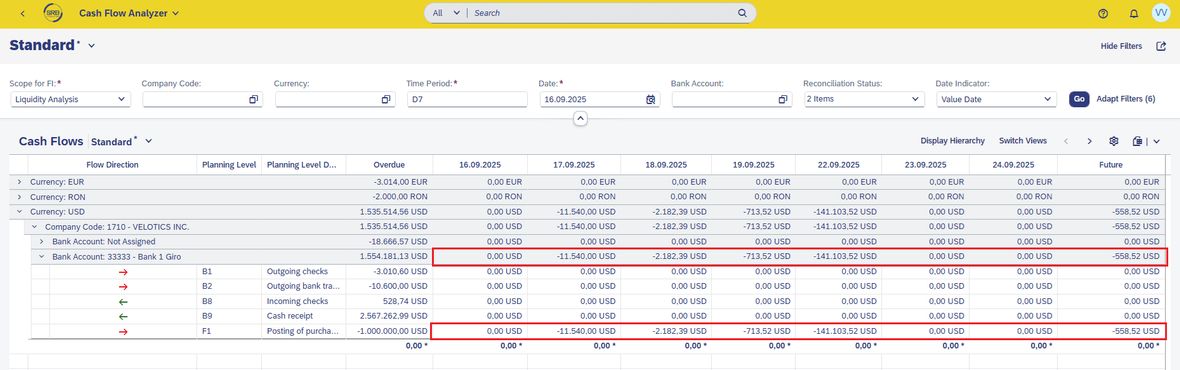
Delta View exclusively presents the net cash flows (inflows and outflows) of the selected period, without balance carry-forward.
4. Navigation to cash flow details for reviewing the associated source documents. There is the option to display both aggregated totals and detailed data for individual items. A click on a row with a total is sufficient to conduct the other app Check Cash Flow Items to view the FI documents. From here, one can already drill down into the document – Journal Entry App.
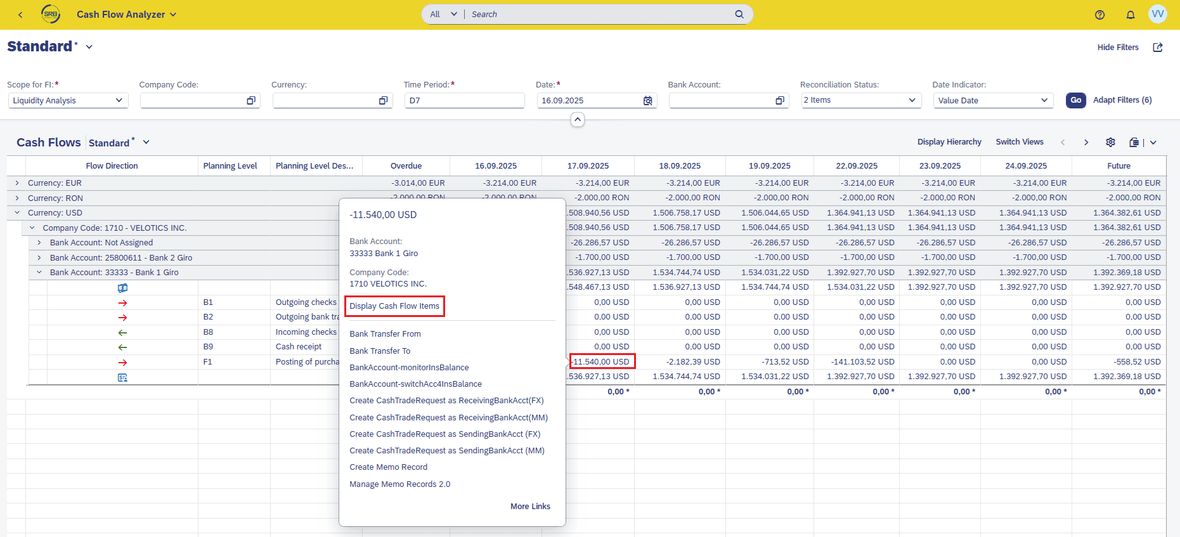
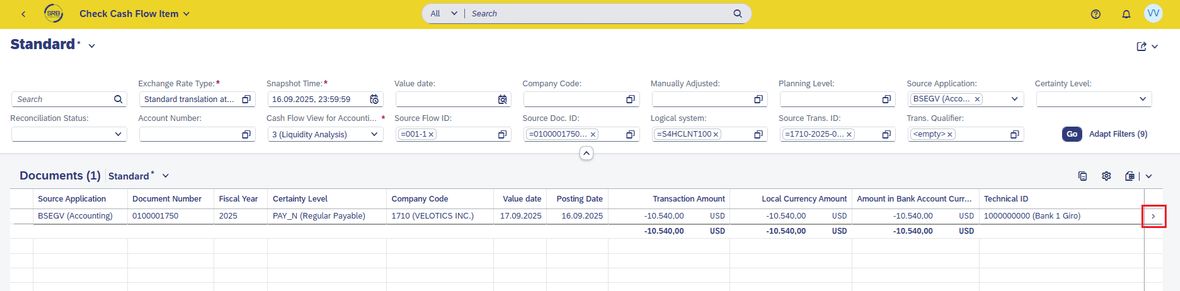
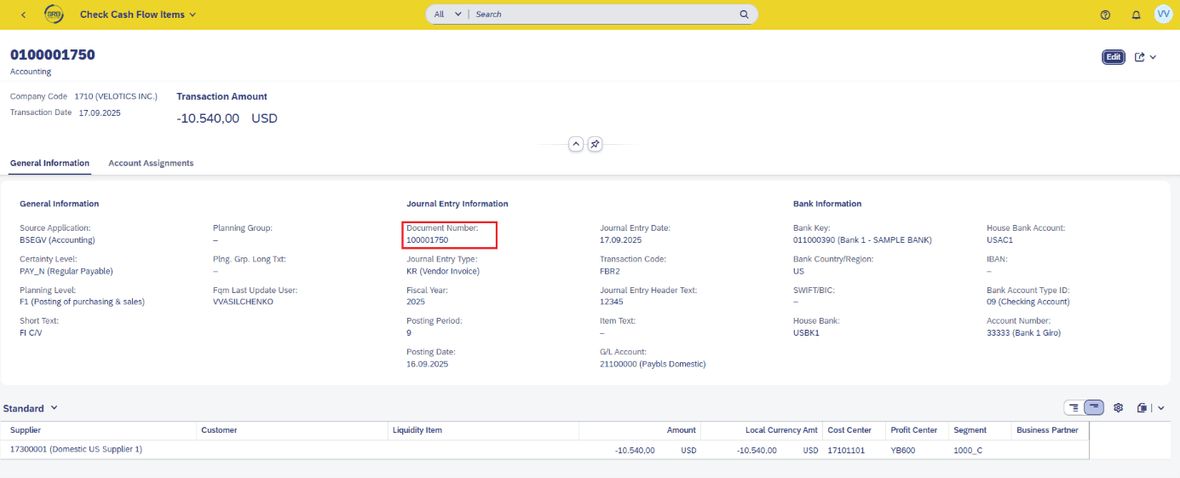
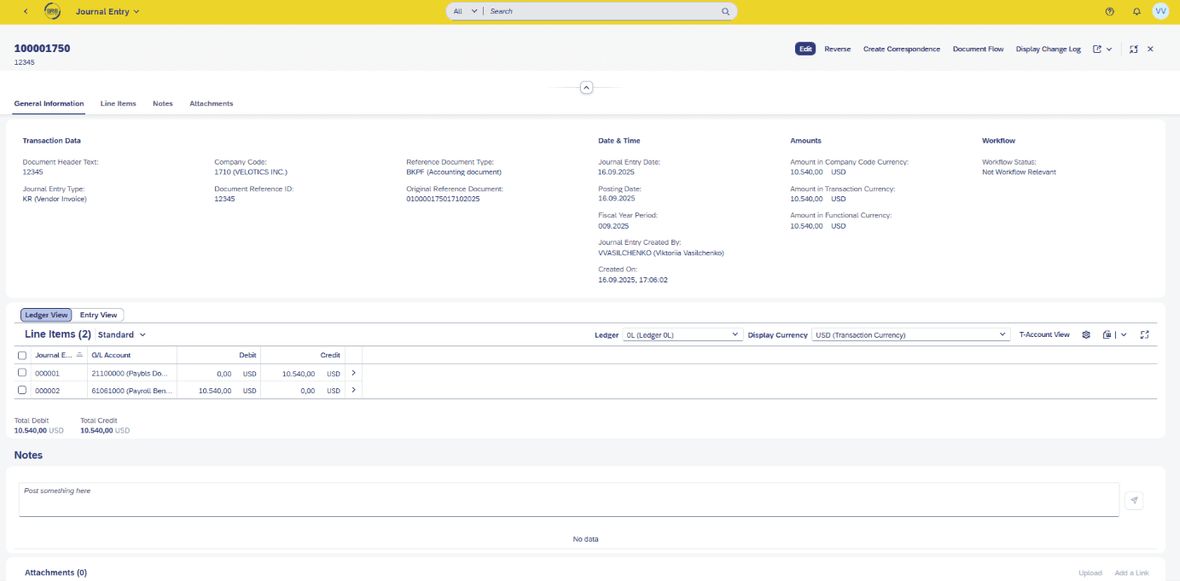
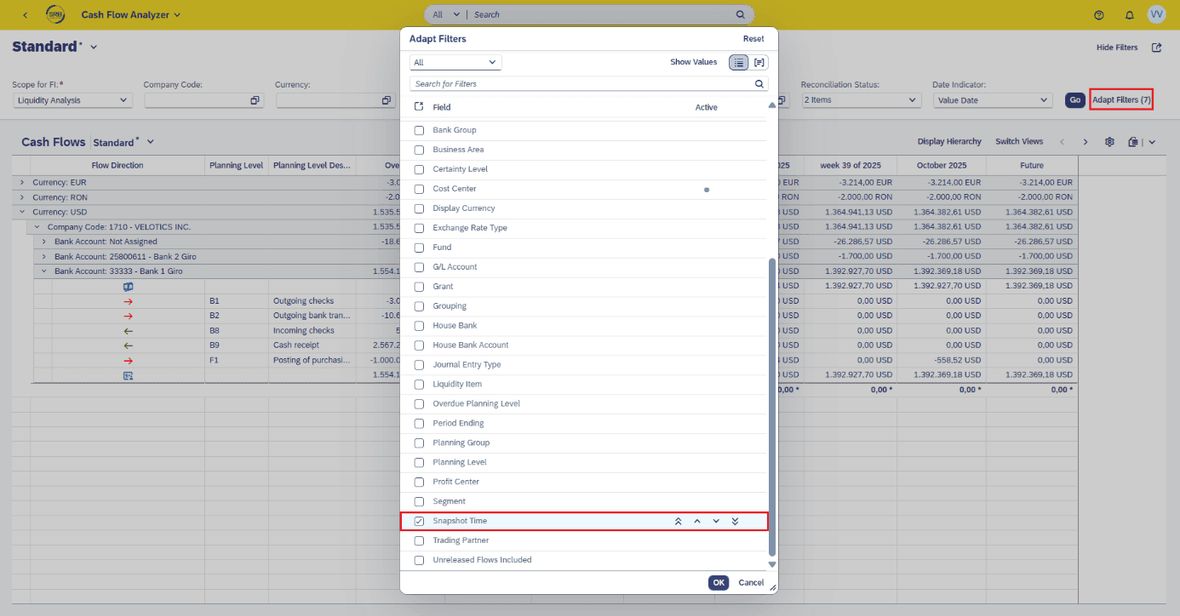
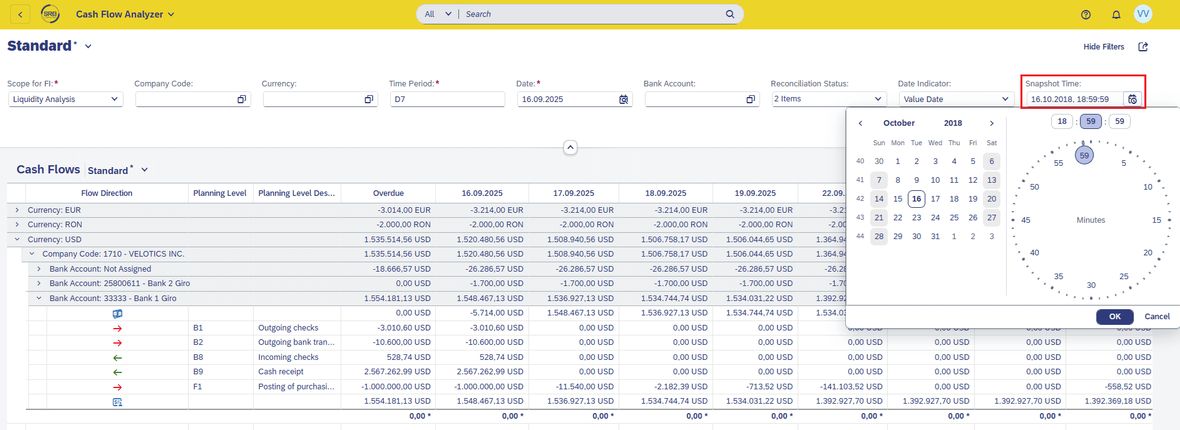
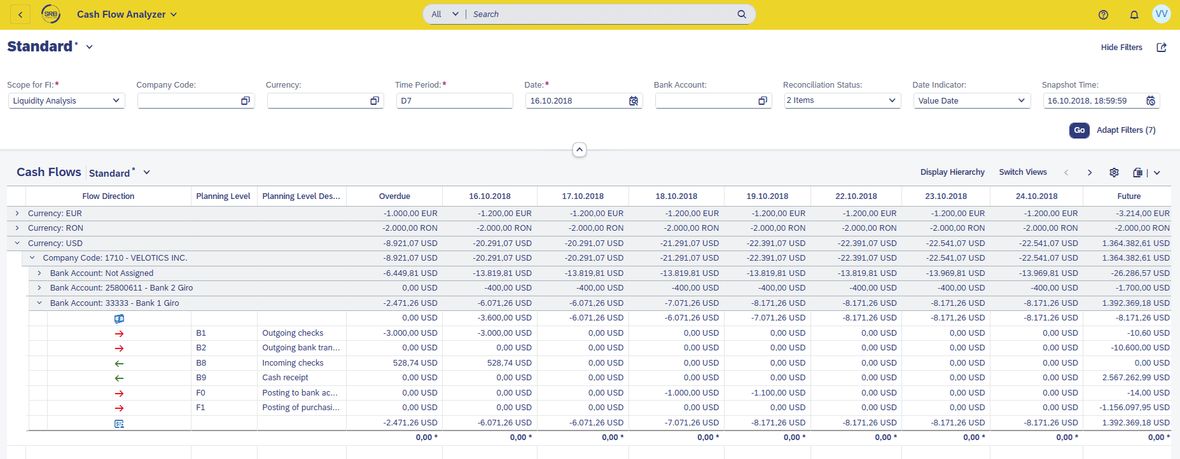
5. The Snapshot Time filter is a special highlight. It allows cash flows to be displayed at a specific point in the past. This filter can be displayed in the filter area via the Adapt Filters button.
For this, date and time must be specified, and the report will be reprocessed accordingly.
What is technically required
To fully utilise the Cash Flow Analyzer , certain technical prerequisites and settings are necessary: firstly, those described in the SAP note.
The following business roles must be assigned (further info from the FioriAppsLibrary): SAP_BR_CASH_MANAGER (Cash Manager) / SAP_BR_CASH_SPECIALIST (Cash Management Specialist).
It is also important: all users must make the following settings in the User Settings
:
- Selection of whether amounts are calculated based on the transaction currency or the account currency.
- Selection of the calendar to automatically shift amounts on weekends or holidays to the previous or next working day.
The option to switch the default view has already been explained.
These parameters are also important functions in the Cash Flow Analyzer and should be set by all users before the first use of the app.
What 'Cash Flow Analyzer' really brings
Traditionally, SAP GUI versions were used for financial processes. SAP Fiori changes this – and it has advantages, as shown by the Cash Flow Analyzer with app ID F2332. These advantages primarily concern user-friendliness as well as – as mentioned above – the technical capabilities of the application.
User-friendliness and intuitive design
The Cash Flow Analyzer impresses with a clear, visually user-friendly interface that can be customised. A clearly structured report, individually adjustable, usable anytime on mobile. All information is available with just a few clicks – without long navigation or IT support.
Improved productivity
Thanks to in-memory technology in S4/HANA, data in the Cash Flow Analyzer can be retrieved in real time and evaluated at the push of a button. This way, users always have an up-to-date and detailed overview of cash flows and financial status – without time loss due to manual retrievals or batch processes. This saves time, reduces training efforts, and increases productivity.
Cash Flow Analyzer provides security
Cash flow is the pulse of the company. Especially in times of change and growth, the Cash Flow Analyzer helps to identify liquidity gaps or unpredictable cash flows early and take countermeasures. With integrated analysis functions, real-time transparency, and mobile usability, the app provides a secure basis for informed decisions – replacing Excel-based approaches with a dynamic, central solution. And comparable to FF7A/FF7B in ECC, it offers more flexibility and extended functionality.


