
SAP Fiori in Finance: Apps You Should Know

The leap from SAP ECC to SAP S/4HANA promises unprecedented efficiency and a 'Universal Journey' in finance. The new possibilities are hidden 'under the hood' with SAP Fiori. In this blog: 'Universal Settlements'.
SAP S/4HANA in all its forms is the next step in the evolution of the SAP ERP system. And it is a significant one. In certain areas, the term 'revolution' better captures the extent of the changes.
Need an example? Twenty years ago, the New GL was a harmonisation of various SAP tables in the FI general ledger, bringing a series of new, highly innovative features. In SAP S/4HANA, this occurs in a shared database. Gone are the days when a business case generated various FI and CO documents. Whether internal or external accounting – today we speak of a 'Universal Journal' in a single dataset.
To fully exploit all the possibilities this approach offers in FI/CO, SAP Fiori is essential. Only there do the apps provide highly useful SAP functions.
Universal Journey for Universal Settlements
In S/4HANA, SAP offers the ability to use Fiori apps for the functions of 'Universal Settlements'. The name is the programme: these new apps promise users simplified management and execution of various settlement types such as cross-company code settlement, allocation, and distribution for actual and planned data. The settlement contexts of cost centres, margin analysis, and profit centres are thus covered.
What remains the same is the cycle-segment technique. New, however, since the 2022 release, is the functionality of settlement tags. They are not only a central component of Universal Settlement but also a real boon in terms of greater transparency and better tracking. Why, we will look at next.
Settlement Tags as Important Structuring Elements
First, we should clarify what settlement tags actually are. Settlement tags are semantic tags that can be assigned to settlement cycles and segments. Within the framework of Universal Settlement, these cycles and segments can be grouped and identified.
The good thing is: the tags can be used across settlement contexts and types, allowing all elements of a settlement process to be tracked and marked. This enables cross-cycle evaluation based on these tags.
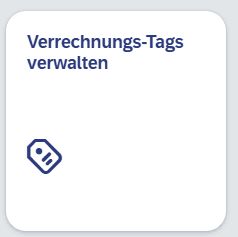
Let's go through this with a concrete example. We have the allocation of costs from the administration cost centre with the settlement tag 'Administration' and the allocation of costs from the building cost centre with the settlement tag 'Building'. We can set this up accordingly via 'F4523 – Manage Settlement Tags'.
We click
And reach the input mask in SAP, which appears as follows.
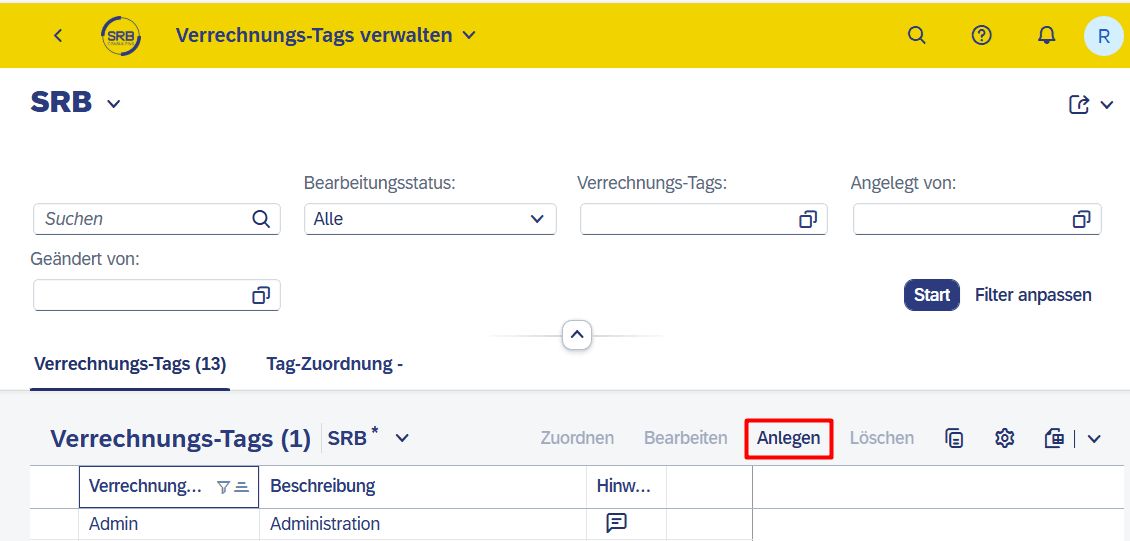
With the 'Create' button, a corresponding pop-up opens...
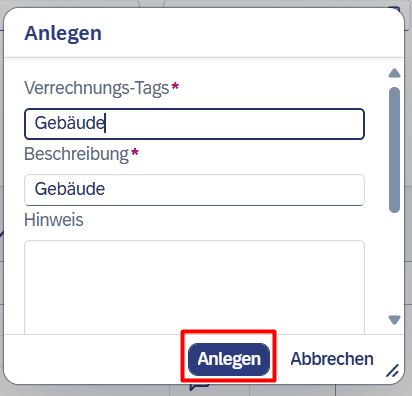
...and in the end, we have created our required settlement tags in the system. Now it is time to set up and start the cycle.
Easily Manage Settlement Cycles
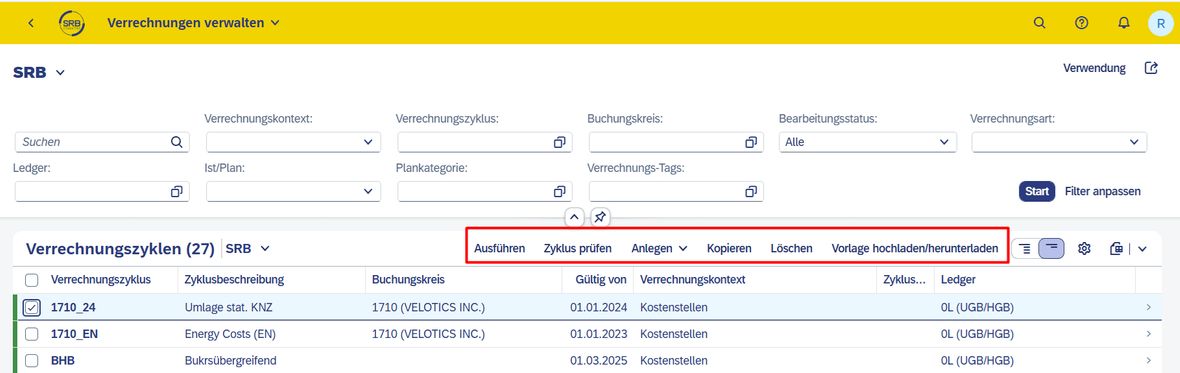
With Universal Settlement, managing settlement cycles is straightforward. The functionality of this app includes the following:
- Display a list of existing settlement cycles
- Edit, create, copy, or delete settlement cycles
- Display the settlement segments of a single settlement cycle
- Direct jump to the app 'Execute Settlements' to start a settlement run for a cycle or view details of completed settlement runs
- Upload settlement cycle and segment definitions using a pre-formatted XLSX file template
Here too, the entry is completely self-explanatory via 'F338 – Manage Settlements'.
How to Create a Cycle
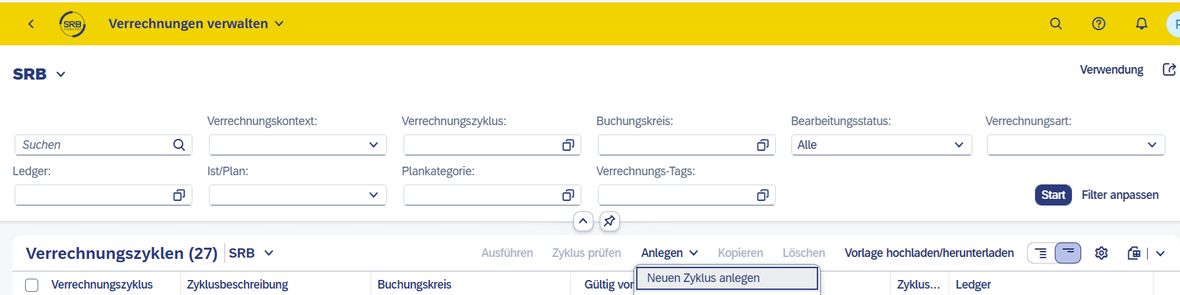
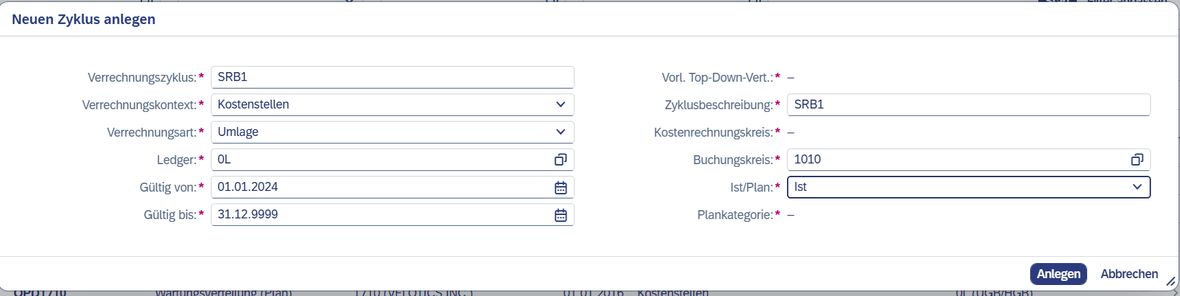
For our example, we need a cycle with 2 segments in company code 1, namely for settling the costs of the building and the admin cost centre. Under 'Create', we start a new cycle (SRB1) and enter our details accordingly.
An exciting feature in this context is the ability to capture cycle notes – at both header and segment level. This helps us to directly comment on changes in the cycle / individual segments, thus enhancing traceability / transparency.
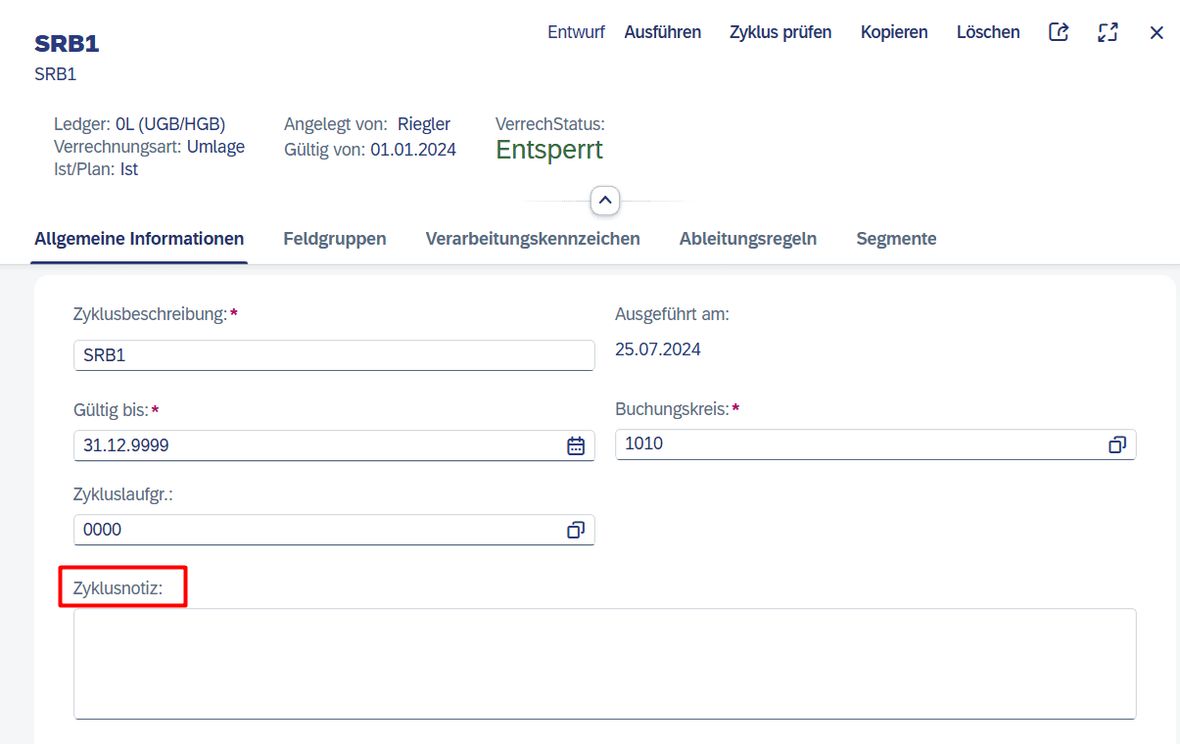
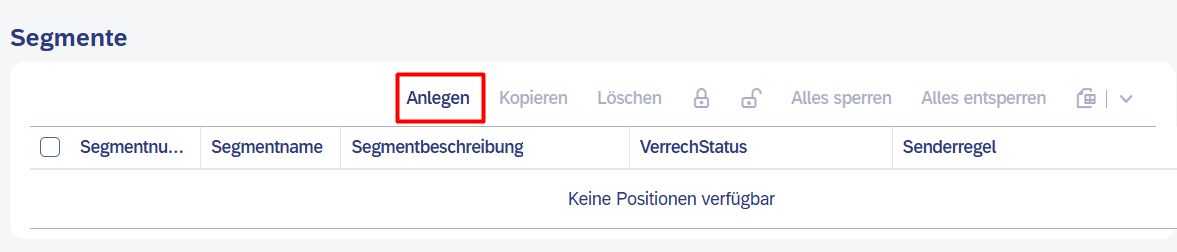
Equally simple: creating a segment. The steps here are also self-explanatory. Let's start with our first segment, the building.
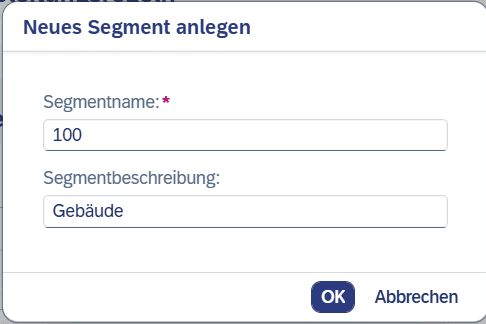
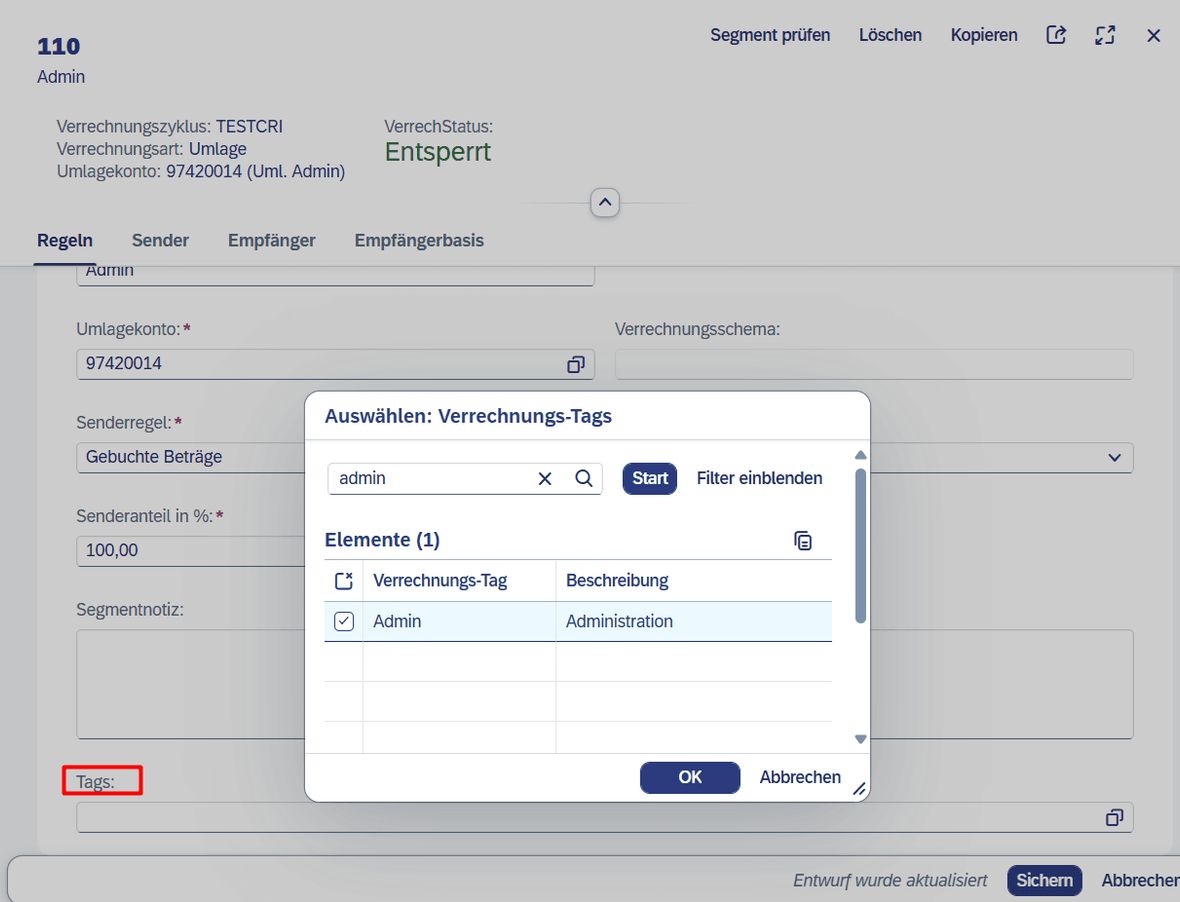
And now comes the special reason for the 'exercise' and the functionality that makes this Fiori app so valuable for us: the assignment of tags to the respective segments. Only with this step is it ensured that cross-cycle evaluation based on the tags (in this case, Building and Admin) is possible. This allows for benchmarking and provides a simple means of comparing settled values of the company codes.
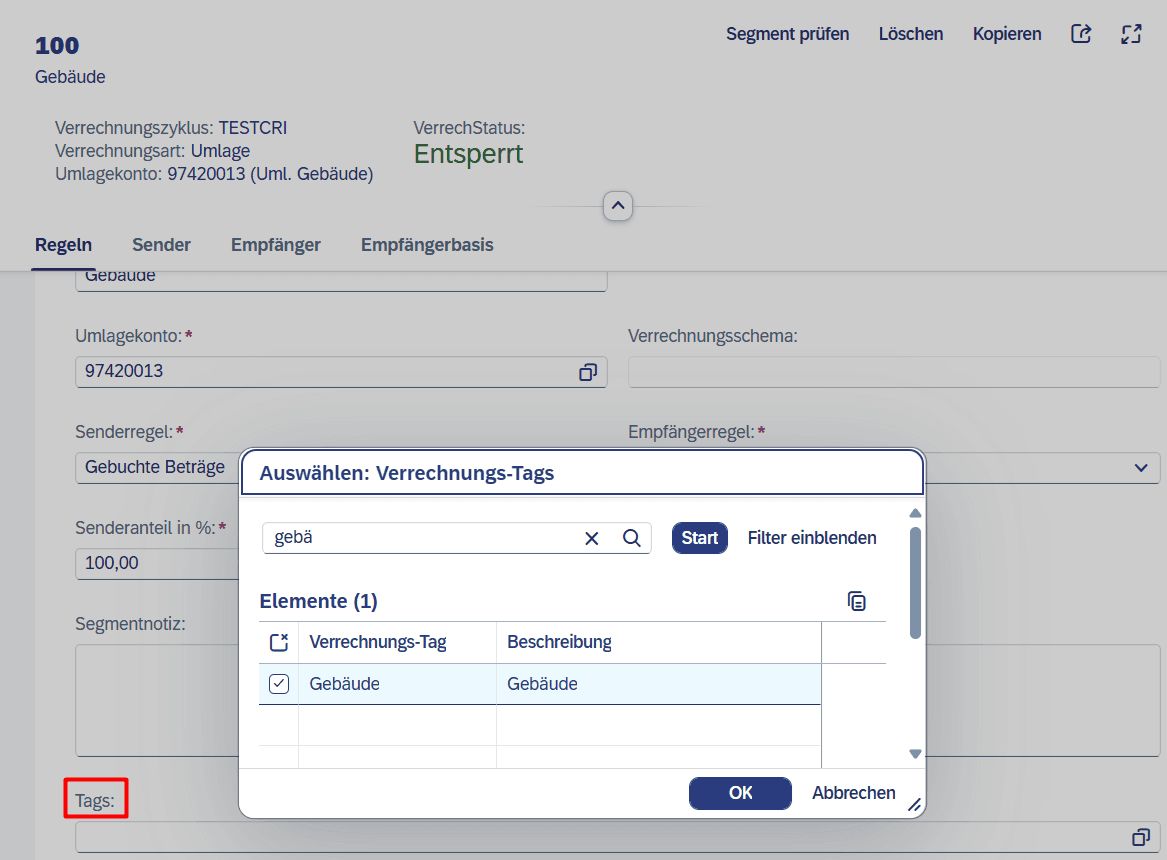
Segment 1 'Building' would thus be 'completed'. Missing in our example is still the segment 'Admin' with the settlement tag Admin. The setup in the system is identical.
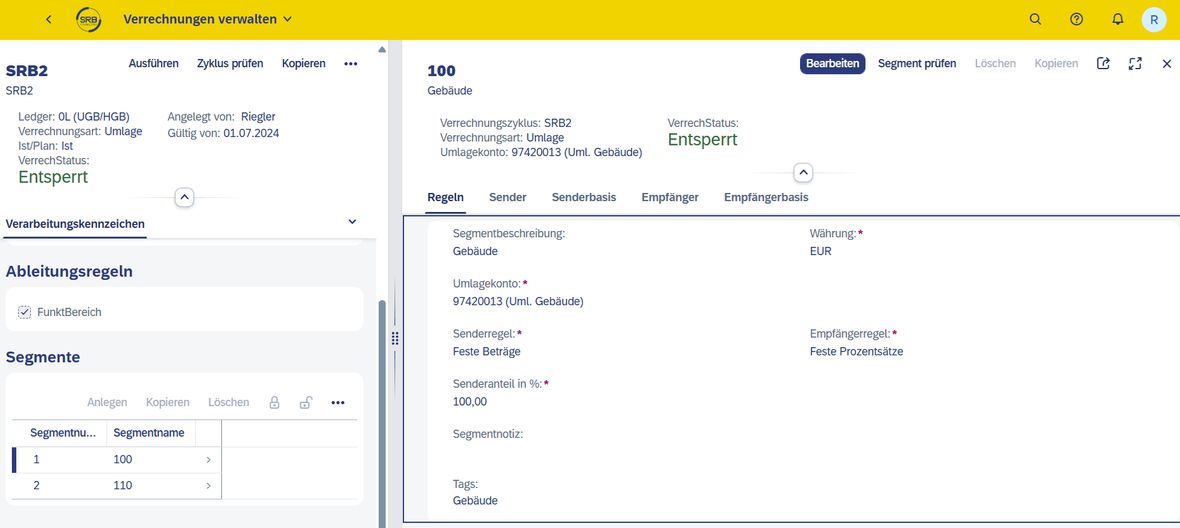
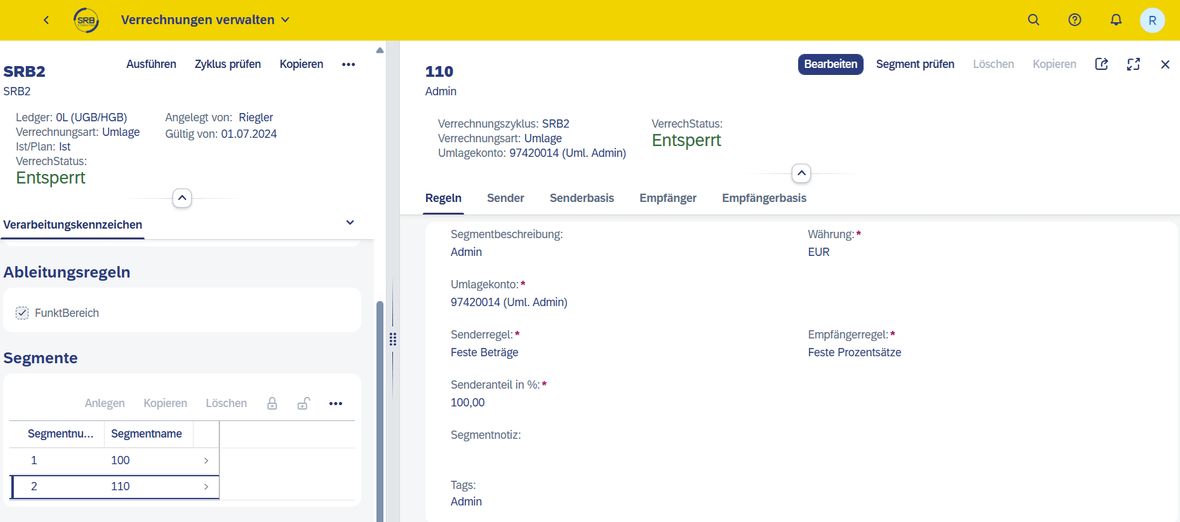
Now we need another cycle (SRB2) for another company code with the same settlement logic and assignment of the corresponding settlement tags. In the end, we have laid the foundation to execute the settlement of costs from the building cost centre and the admin cost centre in two company codes.
How to Execute the Settlement
The proper setup of the settlement is half the battle. The settlement itself requires just a few more clicks and entries. Here too, there is a simple entry via 'F3548 – Execute Settlements'.

The 'Add' button is our gateway to 'Accounting Happiness'. It allows us to select a cycle. In our case, we revert to SRB1.
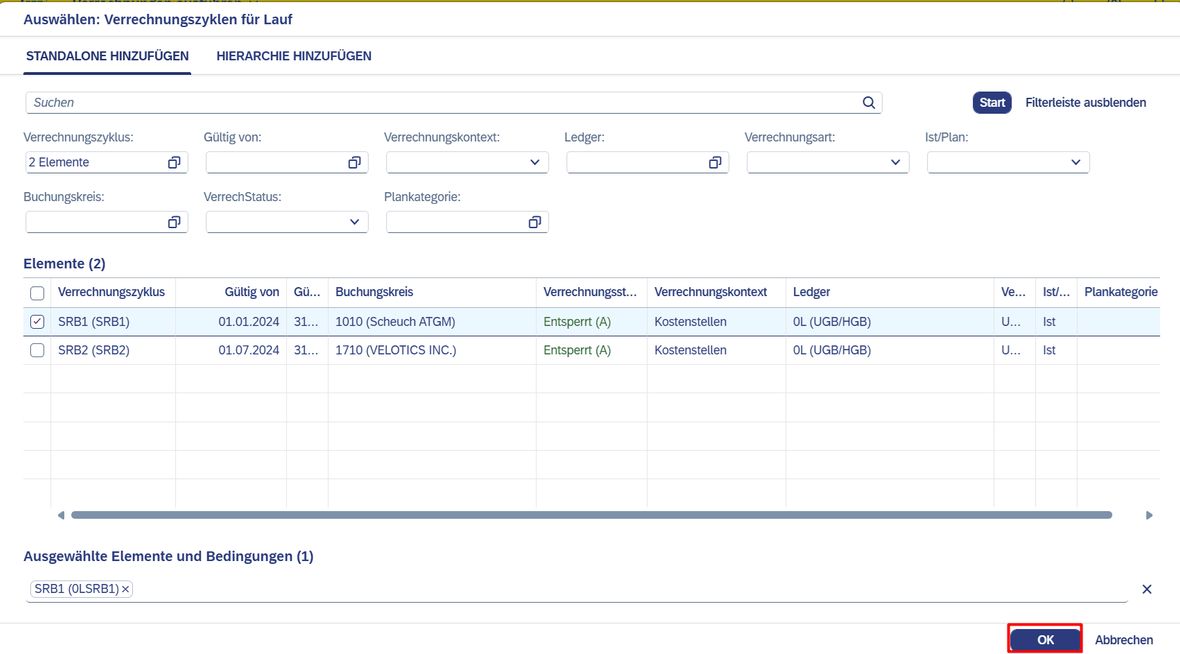
To ensure that we have done our input homework correctly, we can start a test run via the main menu bar or create a run directly and execute it after entering and validating the desired run parameters.
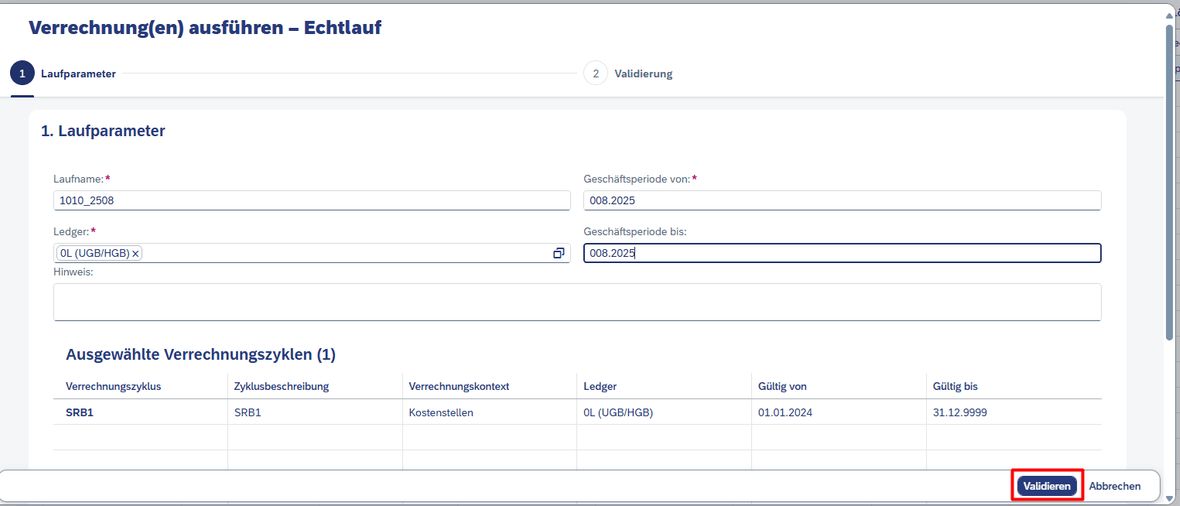
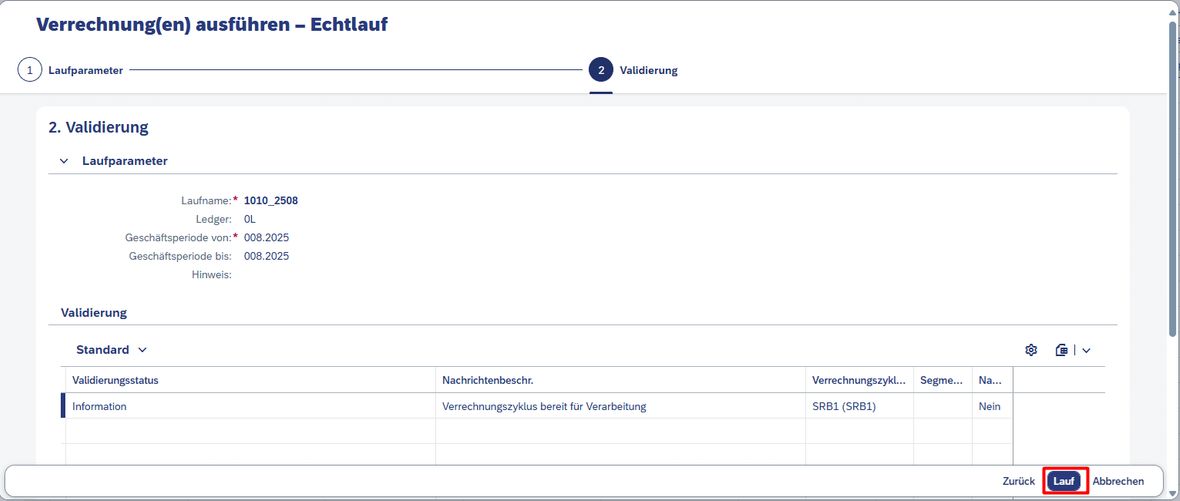
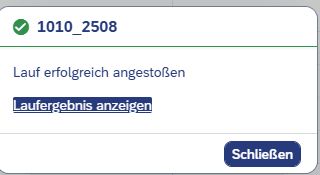
One click and a few moments later, we are shown whether everything was successful. Conveniently, from there we can jump directly to the app 'F4363 Settlement Results' and delve into the results.
How to Read the Results
Whether via the direct link after a settlement run or through 'F4363 – Settlement Results' – the way there is simple.
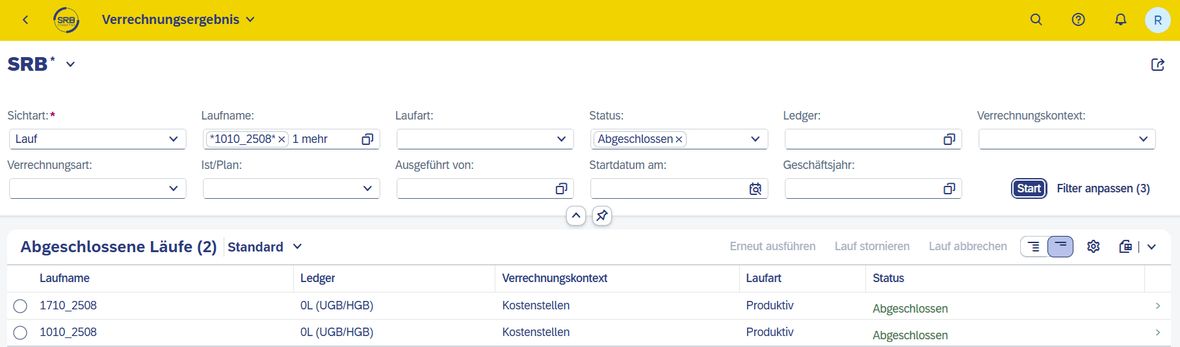
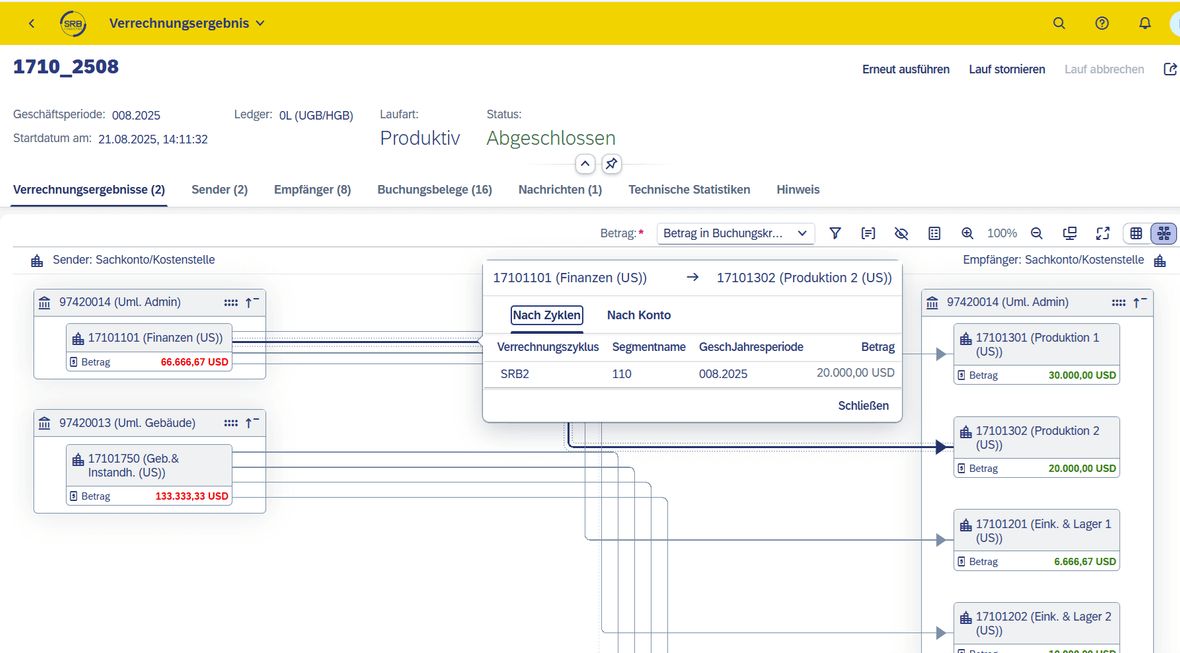
Clearly, the runs are listed there, showing the assignments and the status. It becomes more interesting in the presentation of the settlement result. Here, the settled values can be graphically tracked easily.
Additional bonus of the settlement tags: Through the app 'F4022 – Settlement Flow', a deeper analysis can be conducted, and the settlement flow can be graphically represented across cycles based on the tags Building/Admin.

What 'Universal Settlement' Really Brings
SAP Fiori Apps 'Universal Settlement' offer several advantages compared to traditional SAP GUI versions. First and foremost: the user experience, efficiency, and flexibility are fantastic. The simple example above has shown how quickly and easily a cycle can be 'set in motion'. One can only imagine the potential for significantly more complex settlements.
In summary, it can be said that universal settlement with SAP Fiori significantly improves user-friendliness, efficiency, and flexibility compared to classic SAP GUI versions, leading to an overall better and faster working method.
User-Friendliness and Modern Design for Better UX
It is evident that SAP Fiori provides a modern, user-friendly interface specifically designed for easy and intuitive use on mobile devices and desktops. It employs a consistent, responsive design that automatically adapts to different screen sizes and resolutions. The design is clear and visually appealing, with input masks and dashboards much clearer and offering more efficient navigation compared to the extensive and often overloaded menus of the classic SAP GUI.
Furthermore, the user experience is enhanced by the ability to create a personalised, role-based user interface that displays only the information and functions relevant to one's own activities. This reduces the effort required to find relevant data and enables faster execution of tasks such as settling items or processing invoices.
SAP Fiori also allows access to SAP applications from various devices and locations. This means that employees can work mobile as well.
Simplifying Business Processes for Greater Efficiency
As the example 'Universal Settlement' has shown, SAP Fiori applications are designed to simplify recurring tasks and processes. Features such as automatic notifications, workflows, and custom dashboards help ensure that processes can be carried out faster and more efficiently – and this, despite the fact that far fewer apps are needed with Fiori than SAP GUI transactions.
Because Fiori is based on a modern architecture, it can be integrated with various SAP and non-SAP systems. This, in turn, enables real-time data and analytics across the SAP S/4HANA environment to make informed decisions more quickly.
Future-Proof Infrastructure
The regular development of Fiori by SAP ensures that new features and improvements are continuously integrated without requiring major updates. Compared to SAP GUI, where customisations and extensions are often cumbersome, SAP Fiori also allows for significantly easier adaptation to specific business requirements without necessitating profound changes to the entire SAP infrastructure.
SAP Fiori is optimised for use in the cloud. Thus, companies benefit from the 'classic' advantages of cloud-based SAP solutions, such as flexibility, scalability, and lower operating costs. The ability to combine SAP Fiori with SAP S/4HANA Cloud further ensures that companies are well-positioned for future developments and innovations.
What Makes 'Universal Settlement' a Top App for FI/CO
The 'Universal Journey' is not a marketing bubble that bursts upon closer inspection. User-friendliness has been prioritised. A SAP slide illustrates this and the transformation that SAP has triggered with Fiori and HANA.
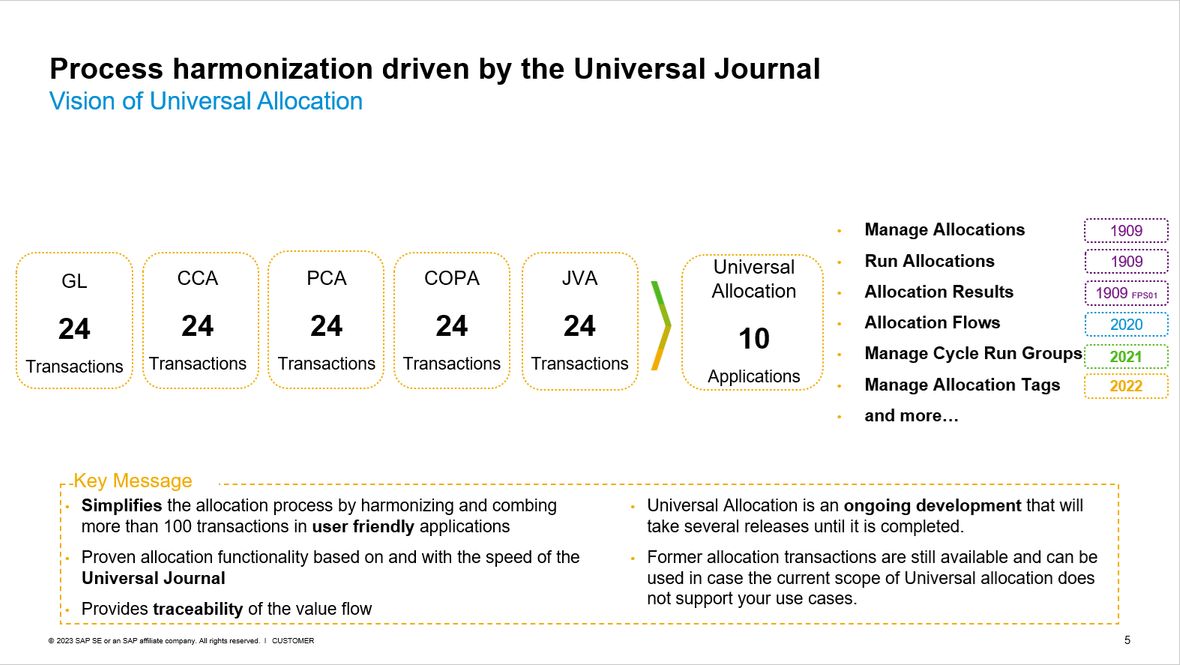
On the left side, there are many transaction codes for various assignment types in SAP ECC. This has caused the complexity of the assignment functionality. When we look at the vision of Universal Settlement, on the right side, we have 10 Fiori apps that cover 120 transaction codes in SAP ECC.
Another advantage is that cycles are created ledger-specific – compared to the GUI, cycles are only possible in the leading ledger.


